

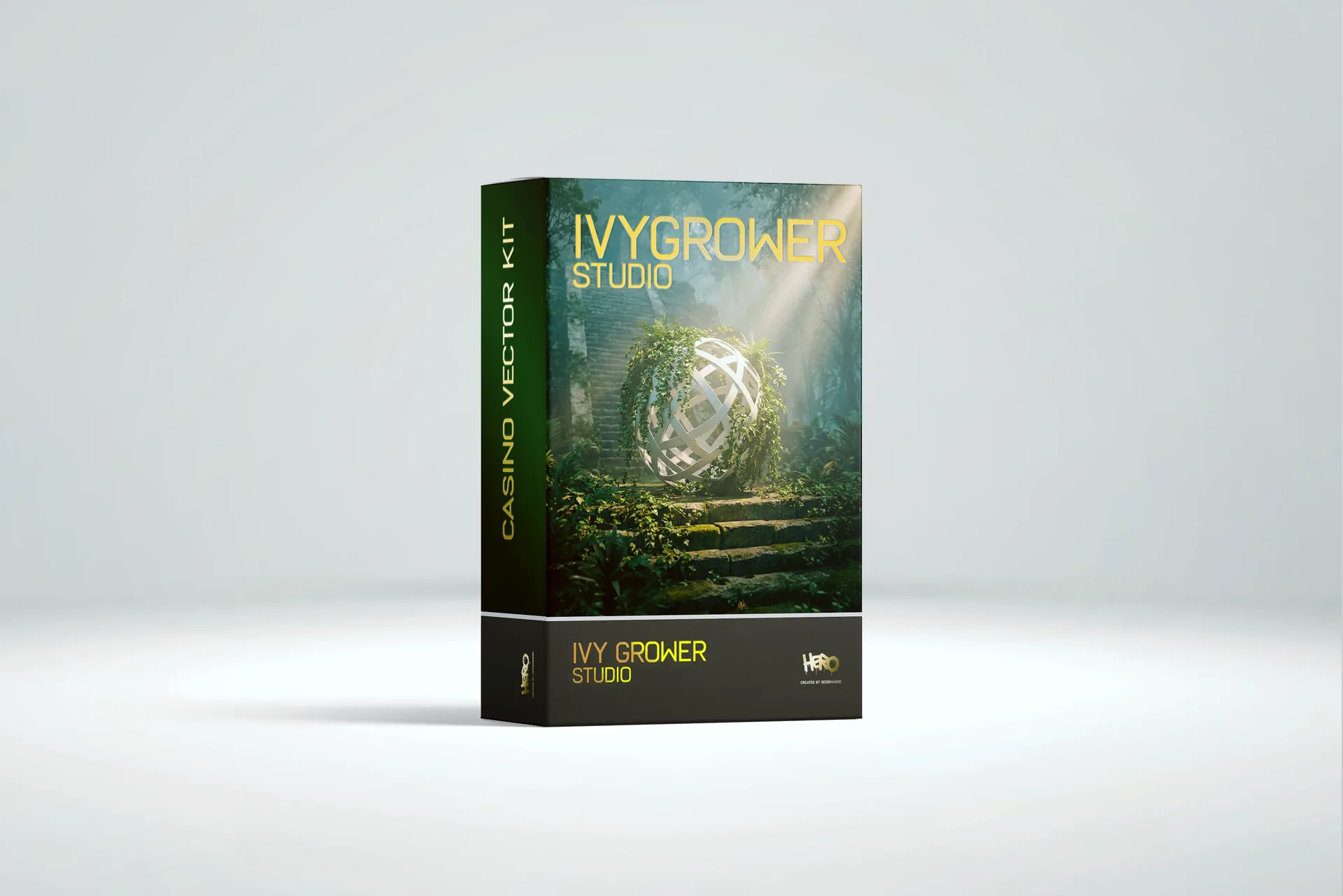

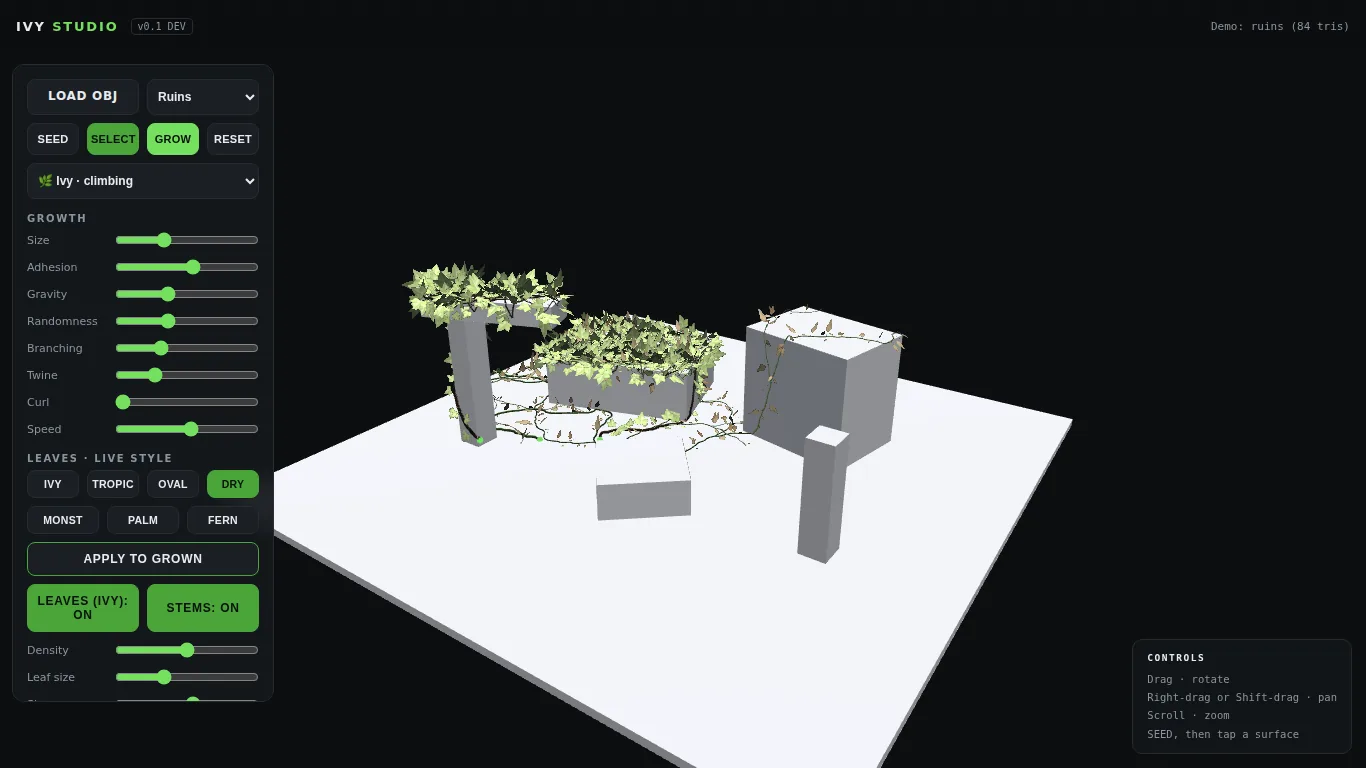
Big news: Ivy Grower is back. The little ivy generator plugin for C4D that thousands of you downloaded over the years has been rebuilt from the ground up, and it has outgrown Cinema 4D entirely. Meet Ivy Grower Studio: a full 3D plant growth app that runs in your browser, no installation, no host software, no version compatibility headaches. Ever again.
Need a Director for Your Next Project?
From commercials to branded campaigns—Olivier brings creative vision and technical expertise.
→ View Projects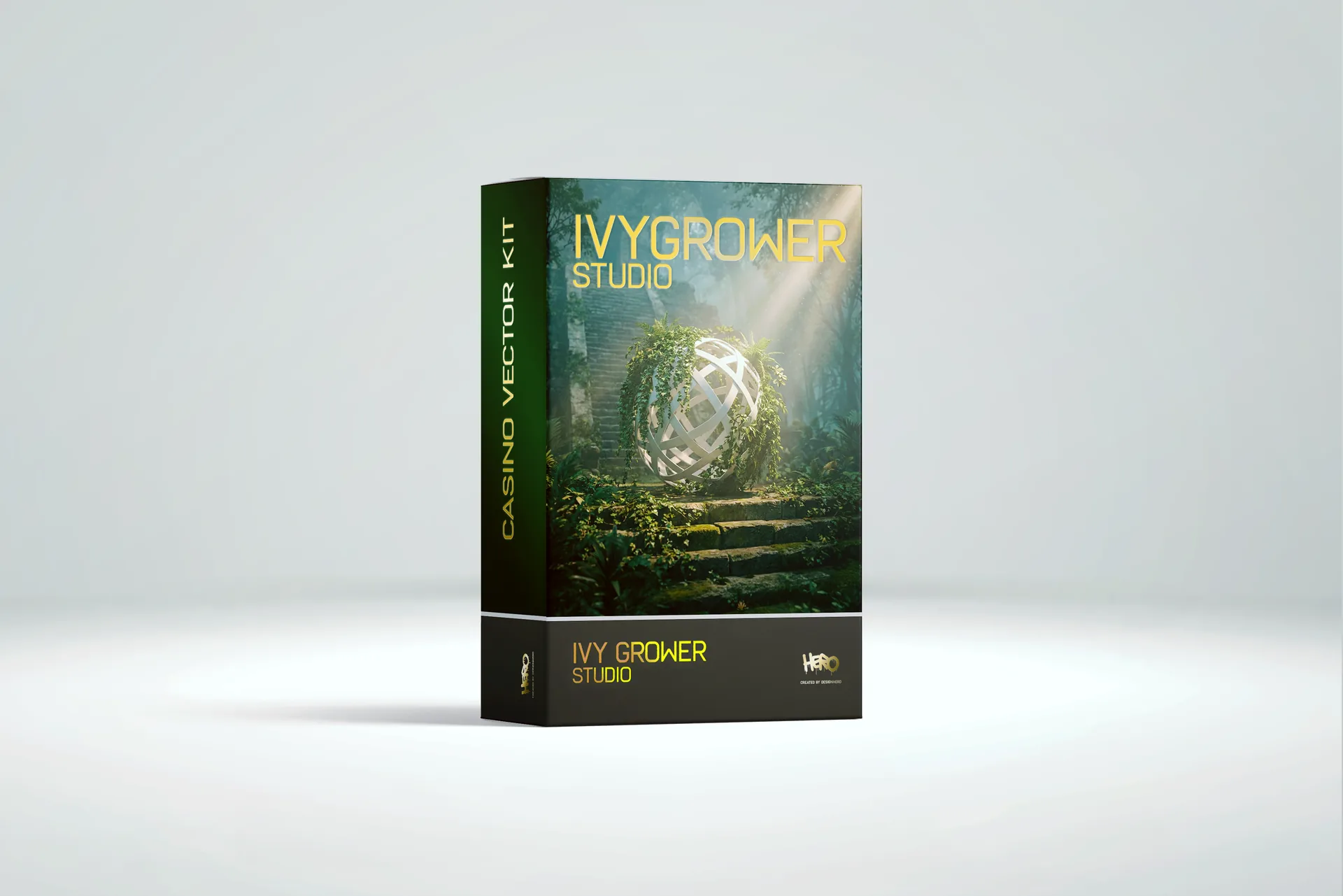
From C4D Plugin to Standalone Studio
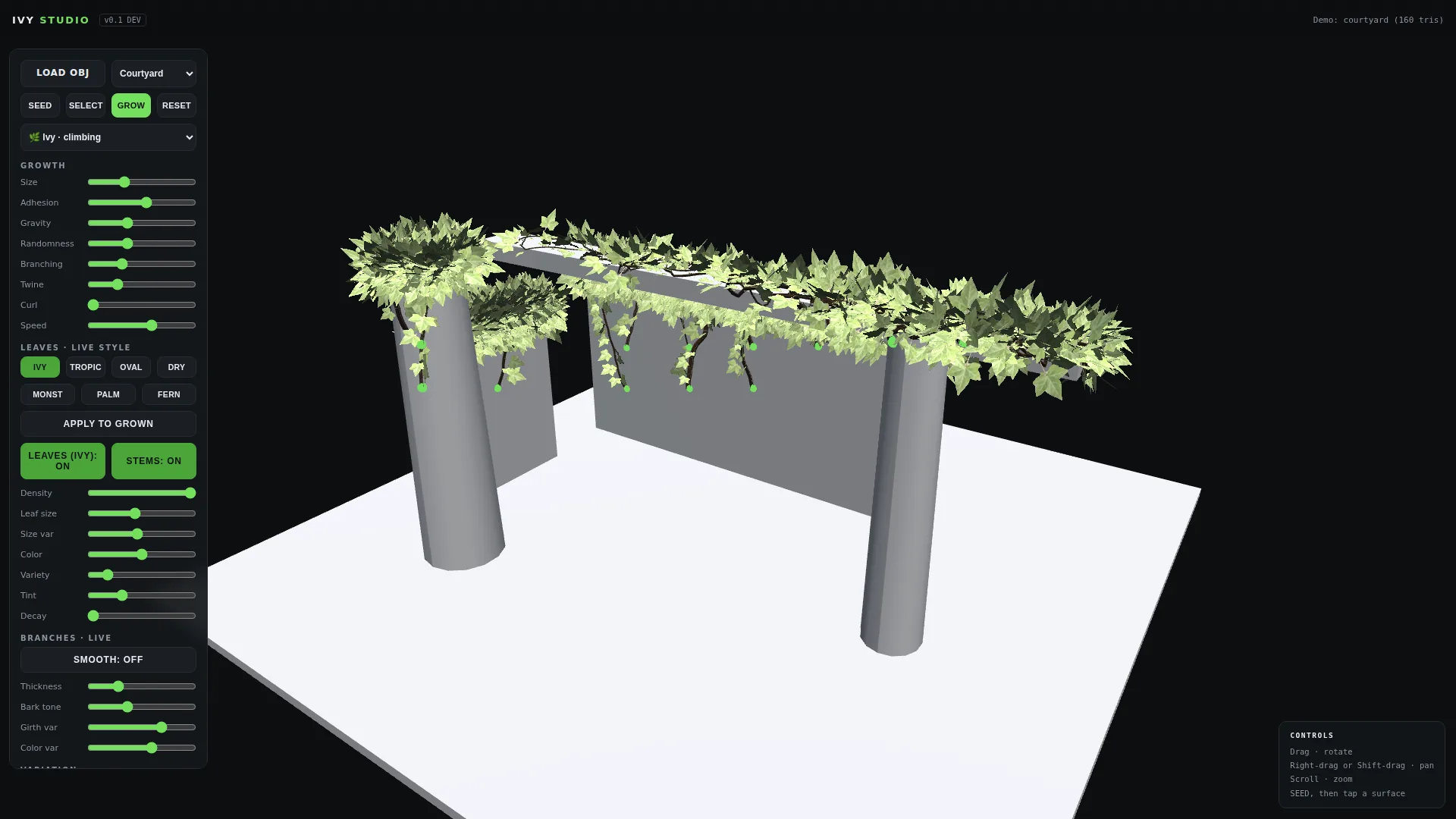
The original Ivygrower was a beloved Cinema 4D plugin, but it was frozen in time: built for R16-R17, it never survived the jump to modern C4D releases. Instead of patching a fifteen-year-old binary, we rebuilt the whole idea as a real-time growth engine in WebGL. Anyone who spent the R16 era hunting through Cinema 4D tutorial sites for a working ivy setup knows why that mattered. Open app.designhero.shop/ivy in any modern browser on Mac or PC, load your own OBJ model or a demo scene, click to plant seeds, and watch ivy climb your geometry live. Your models never leave your machine, and after activation the whole app works offline.
Way Beyond Ivy: Four Plants, Seven Leaf Species
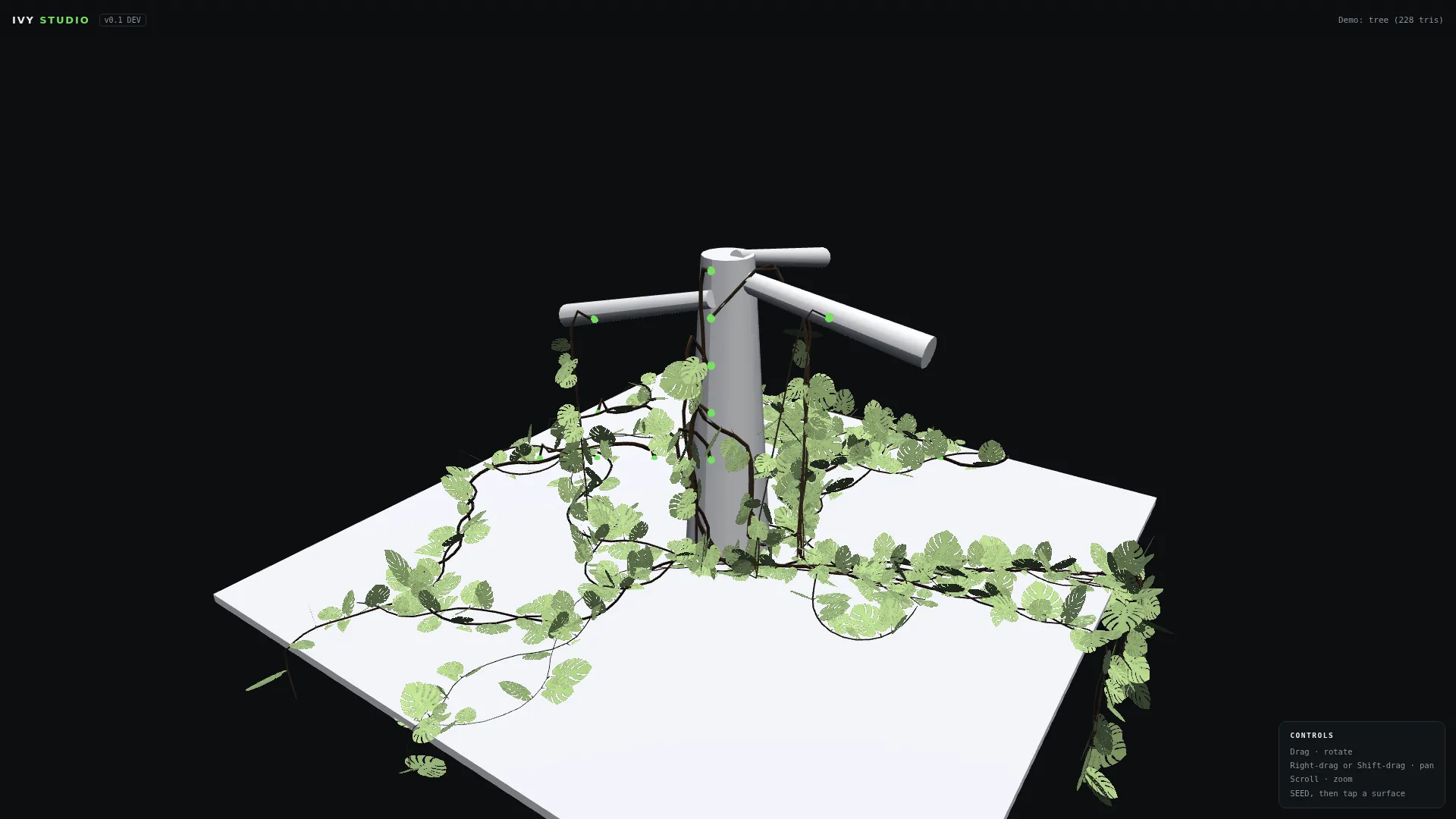
The original plugin grew one thing: ivy. Ivy Grower Studio grows four distinct plant behaviors. IVY climbs and wraps like the classic. JUNGLE vines drop from branches and ledges and root where they land. VINE spans open air, point to point, for wires and pergolas. LIANA twists multiple strands into thick braided jungle cords. Dress any of them in seven leaf species: English ivy, tropical, oval, dry autumn, monstera, palm and fern.
The Details That Make It Feel Alive
Every leaf is true bent geometry with its own random curl and cupping, no flat texture cards. Growth is physically believable: vines even climb each other, so a new plant crossing an established one latches on and spirals along it exactly like real ivy colonizing a host. And styling is per plant: select any single plant in your scene and retune its leaf size, density, decay and color live, while its neighbors keep their look. Turn one summer wall plant to dry autumn in two clicks.
Tangle: Plants That Feel Each Other
Real vines do not grow in isolation: they catch on each other, coil around a neighbor, and keep going. Ivy Grower Studio models exactly that behavior, and gives you a single obvious slider for it: Tangle. At 0, plants ignore each other completely. At the default, strands occasionally catch a crossing vine, wrap around it, and continue on their way. Cranked to maximum, your plants hunt each other down and weave into dense, organic knots, the wilder and more overgrown the look you are after, the higher you push it. Because it drives real growth geometry rather than a shader effect, the tangling survives export intact into your render engine, as seen below.

Grow in the Browser, Render Anywhere
One click exports your scene as OBJ (a clean mesh per species, stems as their own object, materials and texture atlases included) or GLB with everything embedded. It drops straight into Blender, Cinema 4D, Unreal, Unity, Maya or 3ds Max, assign an alpha-cutout leaf shader, light it, render. The frames below all started as Ivy Grower Studio scenes.


Owned the Original? It’s Free for You
Every single past buyer of the original Ivygrower plugin from designhero.shop receives Ivy Grower Studio free. Check the inbox you purchased with: your lifetime license key and magic activation link are waiting. This is our thank you for supporting a $3 plugin all those years. It is the same reason we keep putting genuinely useful tools and free presets in front of this audience rather than gating everything.
Launch Pricing
For everyone else, Ivy Grower Studio launches at $29 (regular $39), a lifetime license with all v1.x updates free, including the growth animation and FBX export coming in v1.1. Get Ivy Grower Studio here.
Old Plugin vs Ivy Grower Studio
If you used the original Ivygrower, here is the honest side by side. The plugin was a clever one trick tool for a single host application. The Studio version is a standalone app that outgrew that limitation entirely.
| Original Ivygrower plugin | Ivy Grower Studio | |
|---|---|---|
| Runs in | Cinema 4D R16 to R17 only | Any modern browser, Mac or PC |
| Install | Copy folder into the C4D plugins directory | None, open a URL |
| Plant types | Ivy | Ivy, Jungle, Vine, Liana |
| Leaf species | 1 | 7 |
| Leaf geometry | Flat cards | True bent geometry with per leaf curl |
| Plants interact | No | Yes, Tangle lets vines climb each other |
| Per plant styling | No | Yes, restyle one plant without touching the rest |
| Export | Stays inside C4D | OBJ and GLB into any 3D app |
| Still updated | No, retired | Yes, v1.x updates included |
Alternatives to the Old Cinema 4D Ivy Generator
The original Ivy Generator plugin for Cinema 4D is no longer maintained. Development stopped, and it does not keep pace with current Cinema 4D releases, which is why so many artists have gone looking for a replacement. There are three honest routes, and Ivy Grower Studio is only one of them.
Build it procedurally in Blender or Houdini
Blender geometry nodes and Houdini can both grow vines along surfaces if you build the setup yourself. Nothing can be discontinued out from under you, because the network is yours. The cost is time: handling surface climbing, corner wrapping and leaf orientation properly is a project on its own, and most commercial schedules do not have room for it. Right choice if you grow plants constantly and want total control.
Buy pre-grown geometry from an asset library
Fast, and fine for background dressing. The limit shows the moment the camera moves close or the growth has to follow a specific shape, because those assets were grown on something else. Making them sit convincingly on your building is often more work than growing them correctly in the first place.
Use a dedicated grower
Ivy Grower Studio takes this route, in the browser rather than as a plugin. That choice is deliberate: plugins die when the host application changes its SDK or the developer moves on, which is exactly what happened to the original. A browser tool has no host application to break against, so there is nothing to recompile when Cinema 4D updates. Best fit when you need specific growth on specific geometry against a deadline.
GLB is worth understanding if you have not used it. It is the binary form of glTF, the open standard the Khronos Group built as the transmission format for 3D, and it gets called the JPEG of 3D for good reason: everything travels in one file. Geometry, materials, textures and node hierarchy are embedded in a single binary, so there is no folder of maps to lose and no relinking on the far side. It loads natively in Blender, Unreal, Unity, three.js and every major viewer, and it opens on a phone with no conversion. For overgrowth that matters more than usual, because ivy on a facade means thousands of leaves across several texture atlases, exactly the kind of asset that arrives broken when materials travel separately from geometry.
Who Ivy Grower Studio Is For
Archviz artists dressing facades and courtyards. Game and virtual production teams who need overgrowth that exports clean into Unreal or Unity. Motion designers who want a hero shot of a ruin swallowed by jungle without hand placing a thousand leaves. And anyone doing set extension work where a bare CG wall needs to look like it has been standing for thirty years. If you build environments, this is a shortcut to the detail pass that usually eats a day. It sits in the same toolbox as the other creative tools I actually use rather than the ones I merely own.
What You Need to Run It
A modern browser with WebGL2, which means any current Chrome, Edge, Safari or Firefox on Mac or Windows. No GPU requirement beyond what your machine already uses to run a browser, no account for the app to phone home to, and no upload step. Your OBJ files are read locally in the page, so nothing you load ever leaves your computer. After you activate your license once, the app keeps working offline, which matters if you work on location or behind a studio firewall. For a sense of the rest of the kit I run day to day, there is a full list of the gear and software I use.
Frequently Asked Questions
What is Ivy Grower Studio?
Ivy Grower Studio is a browser based 3D ivy and vine generator. It grows ivy, jungle vines, lianas and tropical plants on any 3D model you load, in real time, and exports the result as OBJ or GLB for Blender, Cinema 4D, Unreal, Unity, Maya and 3ds Max. It is the successor to the Ivy Generator plugin for Cinema 4D, rebuilt so it no longer depends on any host application.
What happened to the original Cinema 4D Ivy Generator plugin?
It is no longer maintained. Development stopped and it does not track current Cinema 4D releases, which is the reason a replacement was needed. If you bought it from this shop you receive Ivy Grower Studio free.
Does Ivy Grower Studio work with Cinema 4D?
Yes, with every version of Cinema 4D, not just R16 and R17. It is no longer a plugin, so there is nothing to install and nothing to break when you upgrade C4D. You grow the plant in the browser, export OBJ or GLB, and import it into whichever C4D release you run. That indirect route is exactly what makes it version proof.
Is the old free Ivy Generator plugin still available?
No. The legacy Cinema 4D plugin is retired. It was built for R16 and R17 and it never survived the jump to modern C4D releases, which is the reason the whole thing was rebuilt as a browser app. If a download of the old binary is what brought you here, Ivy Grower Studio is its direct successor and it does considerably more.
I bought the original plugin. Do I have to pay again?
No. Every past buyer of the original Ivygrower from designhero.shop gets Ivy Grower Studio free, for life. Check the inbox you bought with, your license key and activation link are already there. If you cannot find the email, contact us with the address you used at purchase and we will resend it.
Which 3D applications can I export to?
Anything that reads OBJ or GLB, which in practice means Blender, Cinema 4D, Unreal Engine, Unity, Maya and 3ds Max. The OBJ export gives you a clean mesh per leaf species with stems as their own object, plus materials and texture atlases. The GLB export packs everything into a single embedded file. Assign an alpha cutout shader to the leaves and it is ready to light.
Does it work offline?
Yes, after your one time activation. The app runs entirely in the browser rather than on a server, so once it is activated you can keep growing and exporting with no connection at all.
Are my 3D models uploaded anywhere?
No. Models are read locally by the browser and never transmitted. Nothing you load is sent to a server, which keeps client work under NDA safe to use in the app.
Can I use the results commercially?
Yes. The license covers commercial work, including client projects, broadcast and games. What you grow is yours.
What is Tangle actually doing?
It controls how strongly plants react to each other during growth. At zero they ignore each other. At higher values a vine that crosses another one will catch, wrap around it and carry on, which is how real ivy colonizes a host plant. Because it changes the growth geometry rather than faking it in a shader, the result survives export into your renderer intact.
What is coming next?
Growth animation and FBX export are landing in v1.1, and every v1.x update is included in the launch price. Buy once at launch and those arrive at no extra cost.
About the Legacy C4D Plugin
This page originally hosted the classic Ivy Generator plugin (Ivygrower) for Cinema 4D R16-R17. That plugin is now retired: it was never updated for modern C4D releases, which is exactly why we rebuilt it as a browser app. If you’re here searching for the old C4D ivy generator, Ivy Grower Studio is its direct successor, works alongside any C4D version via OBJ import, and grows far more than the original ever could.
Discover more from Olivier Hero Dressen Blog: Filmmaking & Creative Tech
Subscribe to get the latest posts sent to your email.

Work with Olivier
Director | CD | DP & Photographer
Specializing in commercials, music videos, AI-driven filmmaking, and cinematic storytelling for brands and production companies.
🌍 Shanghai · Paris · Los Angeles · Dubai
🎬 View Portfolio & Get in Touch







I purchased IVY Growner but cannot find it on C4D even though I stored it in the C4D R21 plugin folder.
What should I do?