

If you’ve experimented with Midjourney, you already know how addictive it is to see your ideas come to life. But for filmmakers, designers and other visual storytellers, random results aren’t enough. You need prompts that deliver cinematic lighting, compelling compositions and images that feel like they came from a professional cinematographer, not an algorithm. In this guide, I’ll walk you through the basics of mastering Midjourney and share some of my own AI-generated examples, plus show you how tools like AI Render Pro can help you level up your prompts even further.
Need a Director for Your Next Project?
From commercials to branded campaigns—Olivier brings creative vision and technical expertise.
→ View ProjectsGetting Started with Midjourney
To begin, you’ll need a Discord account (Midjourney runs entirely through a Discord bot). Join the Midjourney server and accept the terms of service. In one of the “newbies” channels, type /imagine followed by your prompt. Midjourney will return four images in about a minute. Click the U buttons to upscale the versions you like or V to generate variations.
Midjourney is incredibly accessible, but you’ll quickly discover that the quality of your results depends on the quality of your prompts. That’s where the art of prompt-crafting comes in.
Crafting Effective Prompts
A great prompt is lean, visual, and cinematic. Most strong ones include four core elements:
- Subject – What the scene is about
Examples: lone detective, neon biker, abandoned gas station - Style – How it looks
Examples: cinematic, gritty realism, vintage noir, documentary tone - Camera & Lighting – How it’s shot
Examples: 35mm, wide shot, shallow focus, rim-lit, backlit silhouette - Mood or Composition – How it feels
Examples: stormy, ominous, fog-drenched, golden hour, claustrophobic
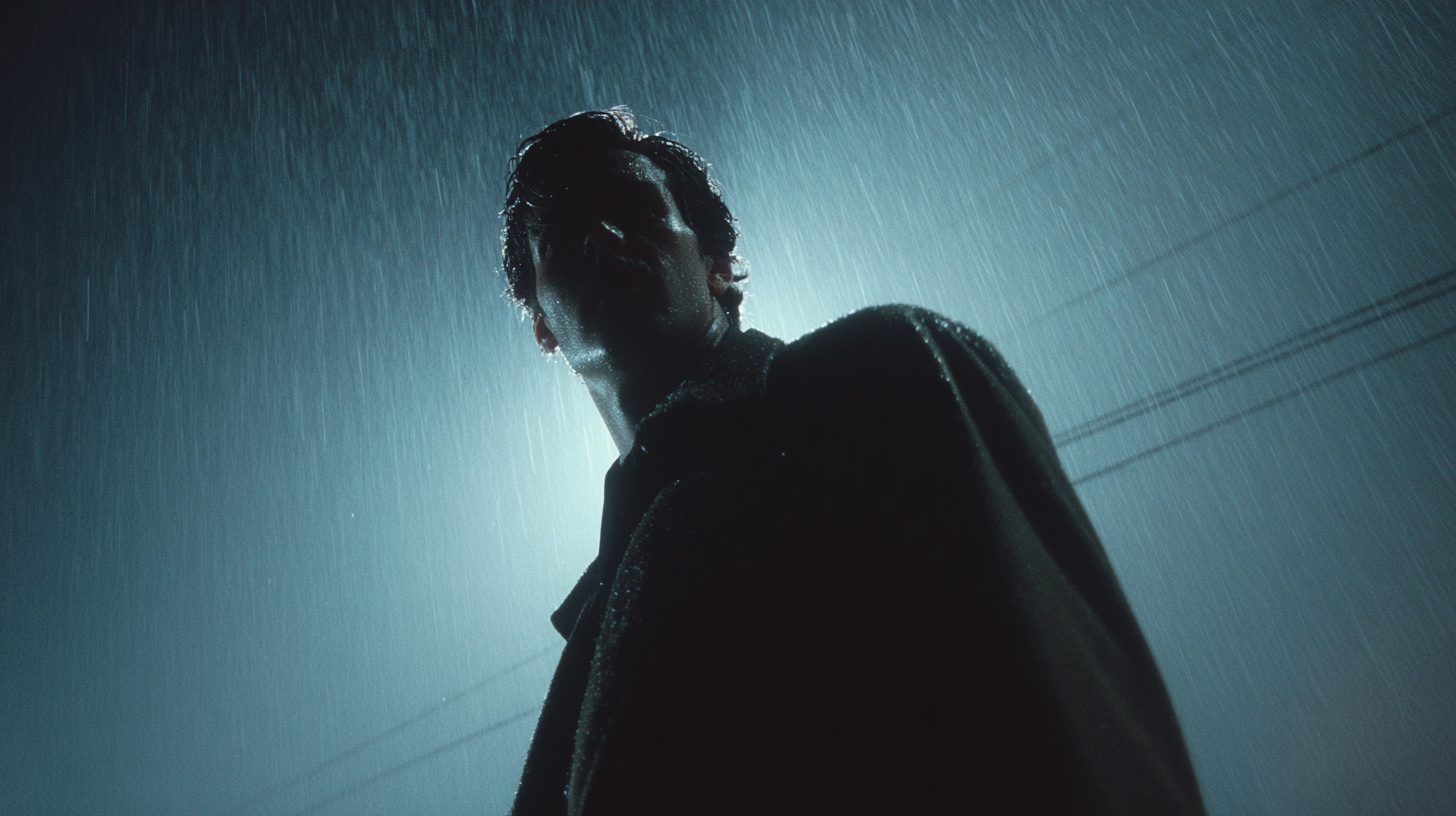
Example:/imagine lone figure in trench coat under pouring rain –– backlit silhouette, foggy skyline, cinematic lighting, 35mm shallow focus
Play with these components and you’ll notice how Midjourney responds to different lenses, aspect ratios, and moods.
Advanced Techniques: Adding Cinematic Flair
Once you’re comfortable with basic prompts, start adding cinematic specifics:
- Lens and aspect ratio – a 24 mm lens captures more of the scene, while 85 mm compresses depth; try –ar 16:9 for a widescreen look.
- Color temperature and lighting – “warm tungsten light,” “soft morning haze” or “dramatic chiaroscuro” evoke very different moods.
- Movement and focus – terms like “motion blur,” “shallow depth of field” and “rack focus” make your images feel like real frames pulled from a film.
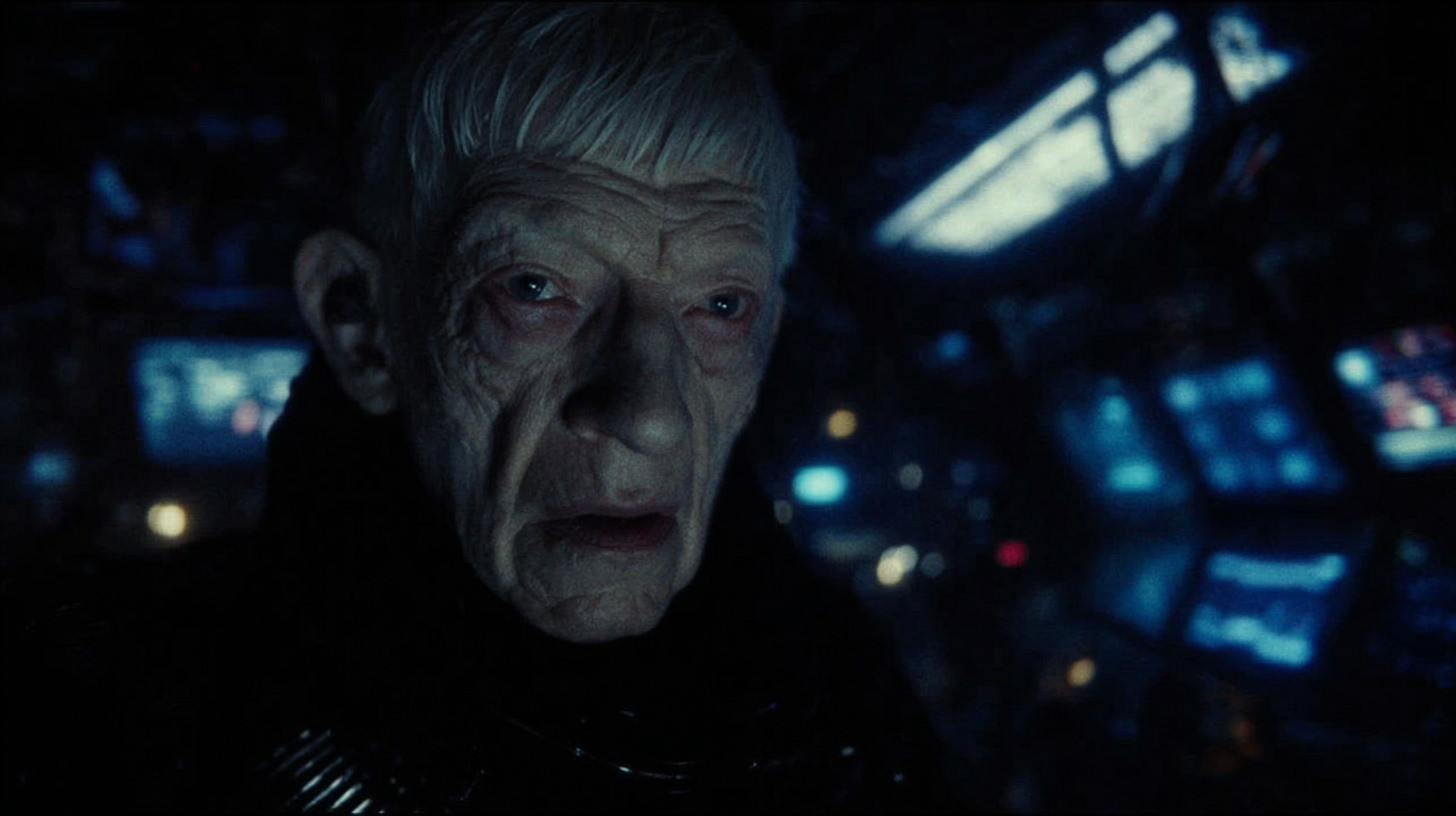
Use these details to guide Midjourney toward images that match your storyboards or moodboards. Throughout this article, you can sprinkle in a few of your own AI renderings, character designs, futuristic landscapes and surreal props, from your previous posts to illustrate how subtle changes in wording affect the results.
Why Use AI Render Pro?
If you want to go beyond trial and error, AI Render Pro provides a robust shortcut. It automatically generates high-quality prompts for Midjourney, DALL·E, Sora, Runway and Stable Diffusion, with formulas tailored for cinematic lighting, composition, ratios and mood. The tool was designed by filmmakers and AI artists to eliminate guesswork, so each prompt feels like a collaboration with a professional cinematographer or designer.
Here’s what’s included:
- Optimised prompts for multiple AI platforms – Midjourney, DALL·E, Sora, Kling, Veo and more.
- Tailored formulas for lighting, composition and aspect ratios.
- Bonus training guide and 50 HD Midjourney examples.
- Lifetime access with no subscription fees – buy once and use it as AI art evolves.
Try AI Render Pro Today!
Now just $9/month!
BUY NOW
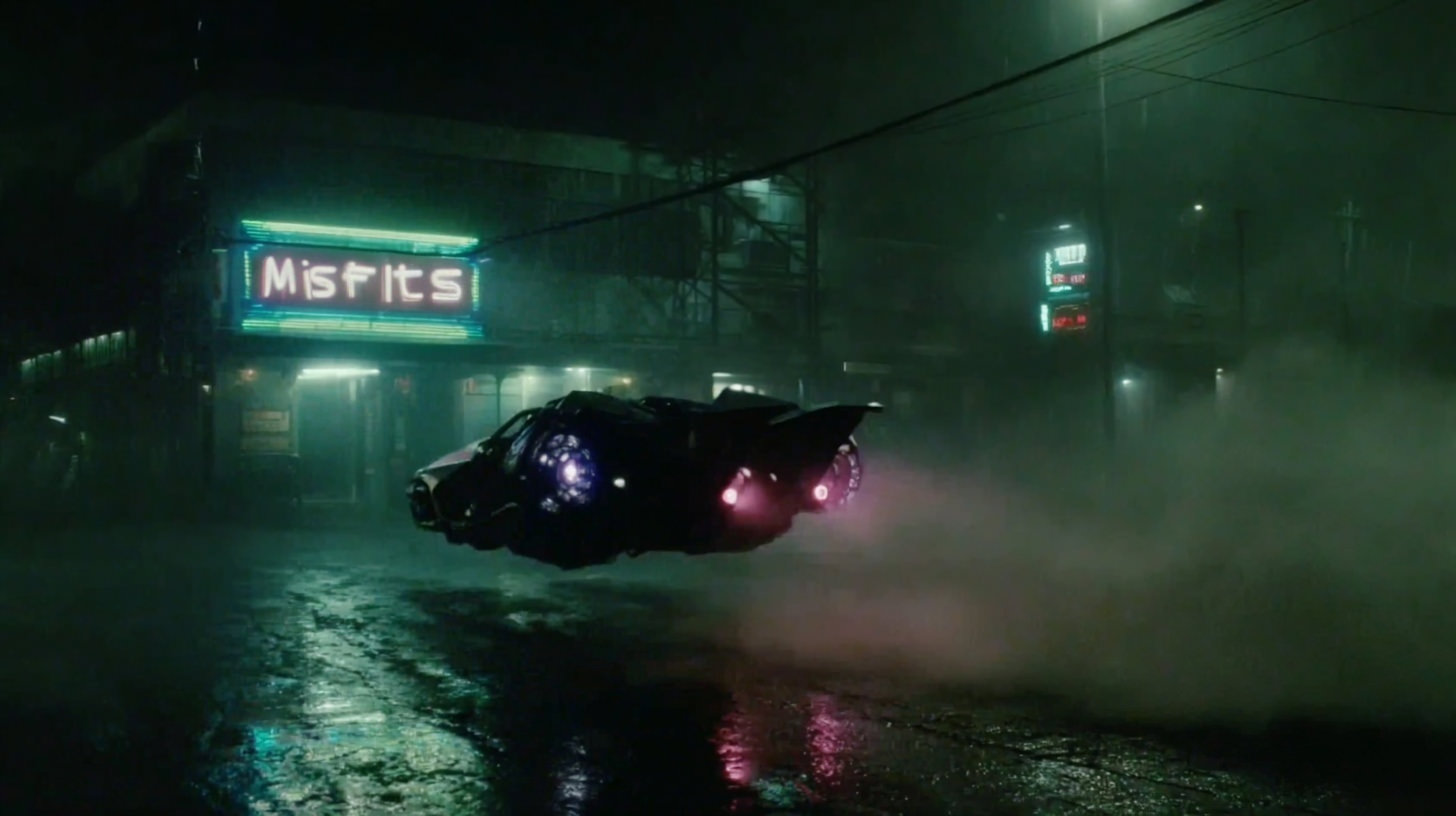
I’ve been using AI Render Pro on my own projects, and the difference is dramatic. In my article “Midjourney Prompts for Characters” the portraits you see were generated using these formulas. The results are sharper and more coherent, and I spend far less time tweaking the wording. If you’re serious about mastering Midjourney and using AI imagery in your films or visual projects, this tool pays for itself quickly.
Real-World Examples
In previous posts, I’ve shared concept art created with AI tools, cyberpunk cityscapes, fantasy creatures and futuristic fashion shoots. When I apply the AI Render Pro techniques, those images take on a more polished, cinematic feel. For example:
- Character design – Using focal length and lighting prompts transforms a generic character into a hero ready for the big screen.
- Location scouting – By specifying mood and composition, the prompts generate atmospheric locations that feel like storyboards for a feature film.
- Prop and costume exploration – Detailed styling cues yield intricate textures and materials you can reference for real-world production
- About My Midjourney Mastery Guide (Just $5)
- While there are plenty of generic prompt guides online, I couldn’t find anything focused on filmmakers and visual storytellers, so I created one. My Midjourney Mastery manual distills the very best techniques I’ve learned into an easy‑to‑follow PDF. You’ll get clear explanations, example prompts and step‑by‑step exercises tailored for cinematic imagery. It’s one of the few comprehensive Midjourney manuals available, and at just $9 it’s far more affordable than similar guides. If you want a structured way to improve your prompts and mastering Midjourney without spending a fortune, this manual is a great place to start.on.
Feel free to include images from your own posts here to show readers what’s possible, just be sure to caption them with the key prompt elements so they see how the words translate into visuals.
Conclusion & mastering Midjourney
Mastering Midjourney opens up a new creative toolkit for filmmakers and designers. By learning how to build effective prompts, and by using tools like AI Render Pro to automate the process, you can generate storyboards, moodboards and concept art in minutes instead of hours. If you’re ready to elevate your AI art to professional standards, check out the AI Render Pro – Universal Prompt Generator (currently $9/month) and the MidJourney Mastery guide (currently $5) on my shop. These resources will give you the formulas and examples you need to bring your creative visions to
About My Midjourney Mastery Guide (Just $5)
My Midjourney Mastery guide condenses the best techniques I’ve learned into a concise PDF manual. It’s packed with clear explanations, sample prompts and step-by-step exercises to help filmmakers craft cinematic imagery. While there are other guides available online, this is one of the few comprehensive manuals tailored for storytellers, and at just $9 it’s far more affordable than similar resources. If you want a structured way to improve your prompts without spending a fortune, this guide is a great place to start.
For step-by-step prompt examples, check out my article on Midjourney prompts for characters. Ready to dive deeper? Grab the Midjourney Mastery Guide for just $9, limited-time offer (was $25). Plus, get the AI Render Pro Universal Prompt Generator for only $9/month and master cinematic AI prompts like a pro.
Q&A: Frequently Asked Questions
What is Midjourney and how does it work?
Midjourney is an AI image generation tool that runs entirely through Discord. You join the Midjourney server, use the /imagine command and then type a descriptive prompt. Midjourney’s algorithms interpret your prompt and deliver four unique images based on your description.
Do I need a paid plan to use Midjourney effectively?
You can explore Midjourney with its free trial, but serious users typically subscribe for more renders and higher priority processing. Paid plans unlock extra features and faster queue times, but the key to better results still lies in crafting detailed prompts.
What is AI Render Pro and how can it help me?
AI Render Pro is a universal prompt generator and training guide that I created. It provides optimized prompts for Midjourney, DALL·E, Sora and other AI tools, plus a step‑by‑step manual with examples. It streamlines the prompt‑crafting process so you can achieve cinematic results quickly.
What do I get in the Midjourney Mastery guide?
The Midjourney Mastery guide distills advanced prompt‑crafting techniques specifically for filmmakers and visual storytellers. It includes clear explanations, sample prompts and practical exercises to improve your ability to direct the AI toward the results you want.
How can I integrate AI‑generated images into my creative projects?
Think of AI images as a previsualization tool. Use them for concept art, moodboards, storyboards or to explore character and environment designs. Once you have a look you like, reference those visuals when shooting or designing for real, or iterate further using tools like AI Render Pro.
Discover more from Olivier Hero Dressen Blog: Filmmaking & Creative Tech
Subscribe to get the latest posts sent to your email.
Work with Olivier
Director | CD | DP & Photographer
Specializing in commercials, music videos, AI-driven filmmaking, and cinematic storytelling for brands and production companies.
🌍 Shanghai · Paris · Los Angeles · Dubai
🎬 View Portfolio & Get in Touch

[…] you want the underlying craft rather than the tool list, the filmmaker’s approach to cinematic AI covers how lens […]
[…] Master the art of AI world-building and character creation with our Midjourney Mastery Guide. […]
[…] Craft your own cinematic AI art with our Midjourney Mastery Guide. […]
[…] workflow. Thinking about how to pre-visualize these complex interactions can be daunting, but our Midjourney Mastery Guide offers powerful techniques for creating concept art that can help both teams align on a single […]
[…] For creatives, this ongoing dance between innovation and regulation is a familiar story. We see it with AI-generated art and the complex copyright questions it raises. We see it with drone cinematography and the airspace rules that followed. The journey of a new technology from the fringes to the mainstream is often messy, marked by both resistance and breakthroughs. Staying informed about the regulatory landscape, whether for crypto or for AI tools, is no longer optional. It’s about understanding the environment in which we will be creating and transacting in the years to come. The path to mainstream acceptance requires both technical innovation and a deep understanding of the craft, a philosophy at the heart of our Midjourney Mastery Guide. […]
[…] step. It aligns with the ethos of using AI to augment our skills, much like we explore in our Midjourney Mastery Guide. My final piece of advice: pay attention to tools that promise to do things, not just find things. […]
[…] tasks that once took weeks, like rotoscoping or VFX compositing, being completed in minutes. Our Midjourney Mastery Guide is a perfect example of how creators can already tap into this new paradigm for concept art and […]
[…] Learn to create stunning visual concepts with our in-depth Midjourney Mastery Guide. […]
[…] create storyboards, mapping out your entire film before spending a single dollar. A tool like our Midjourney Mastery Guide can show you how to build a visual playbook that ensures your vision is achievable. After we locked […]
[…] and think pieces about robots taking over your job. It’s a lot. But while you’re busy mastering Midjourney prompts or experimenting with AI-powered video editing, there’s a deeper, less visible force at […]
[…] to highlight the narrative power of imperfection. This is a technique I explore deeply in my Midjourney Mastery Guide, as it applies to any visual […]
[…] aesthetic, and use them to inspire ten character concepts.” This is the kind of task where our Midjourney Mastery Guide can provide the creative prompts to feed such an […]
[…] Start experimenting with these cinematography techniques one at a time. Pick one—maybe it’s strategic lens choice—and commit to mastering it on your next three projects before moving to the next. Cinematography isn’t about knowing everything; it’s about deeply understanding a few core tools and wielding them with purpose. For more on developing your visual language, check out our guides on Filmmaking AI Workflows and Mastering Midjourney for Cinematic Concepts. […]
[…] “Autour d’un verre” was shot entirely on the Canon 5D Mark II, which at the time was a game-changer for independent filmmakers and music video directors looking for cinematic depth of field and low-light performance without renting high-end cinema cameras. The Canon 5D Mark II itself became a landmark DSLR in cinema history, widely adopted by filmmakers around the world, as you can see in its official overview on Wikipedia. That DIY filmmaking spirit later fed directly into my experiments with AI and cinematic prompts, like in this guide to Midjourney for filmmakers. […]
[…] exactly what you’re trying to achieve. This is a concept I delve into deeply in my Midjourney Mastery Guide, and the principles apply beautifully here. Your prompt should not only describe the subject but […]
[…] Midjourney Mastery Guide: A filmmaker’s guide to creating stunning, cinematic visuals with AI. […]
[…] Visualize the powerful metaphors and settings for your next project using the techniques in our Midjourney Mastery Guide. […]
[…] AI artist, don’t just post images; develop and share a unique prompting methodology, like our Midjourney Mastery Guide, and give it a name. If you are a sound designer, create a unique sound library from original field […]
[…] to create proof-of-concept imagery can be transformative, something we explore in depth in our Midjourney Mastery Guide. The ability to show—not just tell—your vision is increasingly crucial in a world where […]
[…] techniques are improving. This is a key focus of advanced prompting, which you can explore in our Midjourney Mastery Guide. The “quality” of AI art is often in its atmospheric, textural, and conceptual power, […]
[…] look and feel of a world, from architecture and technology to wardrobe and mood. A tool like our Midjourney Mastery Guide provides the exact techniques needed to translate abstract ideas into stunning, cinematic-quality […]
[…] Designing characters with Midjourney can feel like magic. In this article, we’ll explore powerful Midjourney prompts for character design to help you unlock stunning results. The right prompt can give you an insanely detailed, dynamic character design, whereas a vague prompt might produce something dull or off-target. To help you unlock Midjourney’s full potential, we’ve compiled 10 powerful prompts for character design, complete with examples and tips. Whether you’re creating concept art for a game, illustrations for a story, or just having fun, these prompts will inspire you and guide Midjourney to produce incredible characters. […]