
- Problem Solver: AI image enhancement uses machine learning to intelligently upscale resolution, reduce noise, and sharpen details in photos and video frames, far surpassing traditional scaling methods.
- Aiarty V3.5 Debuts: The latest version of Aiarty Image Enhancer introduces crucial new features for creatives, including granular strength control, built-in color correction, and faster GPU processing for a more refined workflow.
- Essential for Modern Workflows: This technology is invaluable for mixing footage from different cameras (e.g., 1080p with 4K), restoring archival clips, and rescuing noisy low-light shots, making it a must-have tool for indie and professional filmmakers alike.
In an era where 4K is the standard and 8K is on the horizon, every pixel counts. We’ve all been there: you capture a perfect, emotionally charged moment, but the shot is plagued by digital noise from a high ISO, or it was filmed on an older camera that can’t match the quality of your A-cam. In the past, that footage was either relegated to the cutting room floor or suffered through a soft, blurry upscaling process that screamed “amateur.” But that’s changing.
Need a Director for Your Next Project?
From commercials to branded campaigns—Olivier brings creative vision and technical expertise.
→ View ProjectsThe rise of powerful, accessible AI is transforming post-production, and one of the most exciting frontiers is in image processing. These new tools aren’t just making pixels bigger; they’re intelligently recreating detail, giving filmmakers a second chance to save a shot and elevate their final product.
What Exactly Is AI Image Enhancement for Filmmakers?
The core idea behind AI image enhancement for filmmakers is to move beyond the simple mathematical algorithms of the past. Traditional upscaling methods essentially stretch an image and then guess what the new pixels should be, often resulting in a soft, blocky, or artifact-heavy mess. AI, on the other hand, is trained on millions of high-resolution and low-resolution image pairs. This allows the software to understand context, what a brick wall, a human face, or a blade of grass should look like, and intelligently generate new, convincing detail as it increases the resolution or cleans up noise. It’s the difference between a crude sketch and a photorealistic restoration.
This technology is no longer confined to high-end VFX houses. While Peter Jackson’s team at WingNut Films famously used sophisticated custom AI to restore the 16mm footage for the documentary The Beatles: Get Back, turning grainy, faded film into a vibrant, modern viewing experience, that power is now accessible to everyone. Companies like Topaz Labs, Blackmagic Design (within DaVinci Resolve), and now Aiarty are putting these powerful neural networks into the hands of indie creators, documentarians, and YouTubers. This democratization means that enhancing archival footage for a historical piece or cleaning up a noisy interview shot no longer requires a six-figure budget.
So, why does this matter for your workflow? It fundamentally changes your limitations. It means that B-roll shot on your phone or an older DSLR can be realistically intercut with footage from a new cinema camera. It means you can crop heavily into a 4K shot for a digital zoom and then use AI to restore the lost resolution, giving you more flexibility in the edit. Practical Tip: Before your next project, test an AI enhancer on a few “problematic” clips from a past shoot. Run your noisiest low-light shot or some old 720p stock footage through the process to see how it can be revitalized. You’ll be surprised at how much usable material you already have in your archives.
Want the best results from your test? Download Topaz Video AI and experience the industry-leading AI enhancement technology that professionals trust. With a 30-day money-back guarantee, you can test it risk-free on your own footage.
Aiarty V3.5: What’s New Under the Hood?
Building on this trend, Aiarty has just launched version 3.5 of its Image Enhancer, and the new features are clearly aimed at addressing the nuanced needs of professional creators. The update isn’t just about making the AI smarter; it’s about giving the artist more control over the final output. The goal of powerful AI image enhancement for filmmakers is to create a seamless tool, not an unpredictable black box, and these updates move decisively in that direction. This release shows a maturation in the market, where the focus is shifting from raw power to refined usability and integration within a professional pipeline.
The three headline features in V3.5 are strength control, built-in color correction tools, and faster GPU processing. Strength control is perhaps the most critical addition; it allows you to dial the intensity of the AI’s effect up or down, preventing the overly sharp, “plastic” look that early AI tools were sometimes guilty of. The new color correction tools offer a way to make quick adjustments to brightness, contrast, and saturation before the enhancement process, ensuring the AI is working with the best possible source data. Finally, improved GPU optimization means faster processing times, a crucial factor when you’re dealing with hundreds or thousands of frames for a video project.
This update matters because it transforms the tool from a blunt rescue instrument into a finessed part of the post-production chain. Instead of being a final, “all-or-nothing” effect, it can now be used more subtly. Practical Tip: Use the new strength slider to apply a light pass of sharpening and denoising to all your footage for a more cohesive, clean look, rather than only using it at 100% on a single bad clip. Think of it as a mastering tool for your visuals, much like you’d master an audio track. This is a key concept in many modern Filmmaking AI Workflows.
Topaz Labs AI: The Industry-Leading Alternative
While Aiarty represents an exciting new entry into the AI enhancement market, Topaz Labs has been the gold standard for professional photographers and filmmakers for years. Their suite of AI-powered tools has been battle-tested across thousands of productions, from independent films to major Hollywood studios. If you’re looking for proven, reliable AI enhancement with the most advanced technology available, Topaz Labs should be your first choice.
Topaz Labs offers three essential AI tools for filmmakers: Video AI (formerly Topaz Video Enhance AI) for upscaling and enhancing video footage, Photo AI for still images and frame extraction, and DeNoise AI specifically for noise reduction. Each tool uses proprietary AI models that have been trained on millions of images, resulting in superior detail reconstruction, natural noise reduction, and impressive upscaling capabilities that can take 1080p footage to true 4K or even 8K quality. The results consistently outperform competitors in side-by-side comparisons, particularly when dealing with challenging low-light footage or complex textures like foliage and facial details.
Topaz vs. Aiarty: What Sets Them Apart? While Aiarty V3.5 brings valuable features like strength control and built-in color correction, Topaz has been offering these capabilities and more for years. Topaz Video AI includes advanced features like grain synthesis, frame interpolation for slow-motion enhancement, and specialized models for different types of content (documentary, CGI, live-action). The software also offers batch processing, command-line interface for automated workflows, and plugin support for Adobe Premiere Pro and DaVinci Resolve. Perhaps most importantly, Topaz’s AI models have been refined through years of real-world use, resulting in more natural-looking results with fewer artifacts. Where Aiarty might be a solid entry-level choice, Topaz remains the professional standard.
Ready to experience the difference? I personally use and recommend Topaz Labs products for all my professional work. You can try Topaz Video AI risk-free with their 30-day money-back guarantee. Click here to get Topaz Video AI, or check out Topaz Photo AI for still image enhancement. For those dealing with extreme noise issues, Topaz DeNoise AI is a specialized solution that works wonders on high-ISO footage. By purchasing through these links, you’ll get the same great price while supporting this blog at no extra cost to you.
Practical Use Cases for the Modern Creative
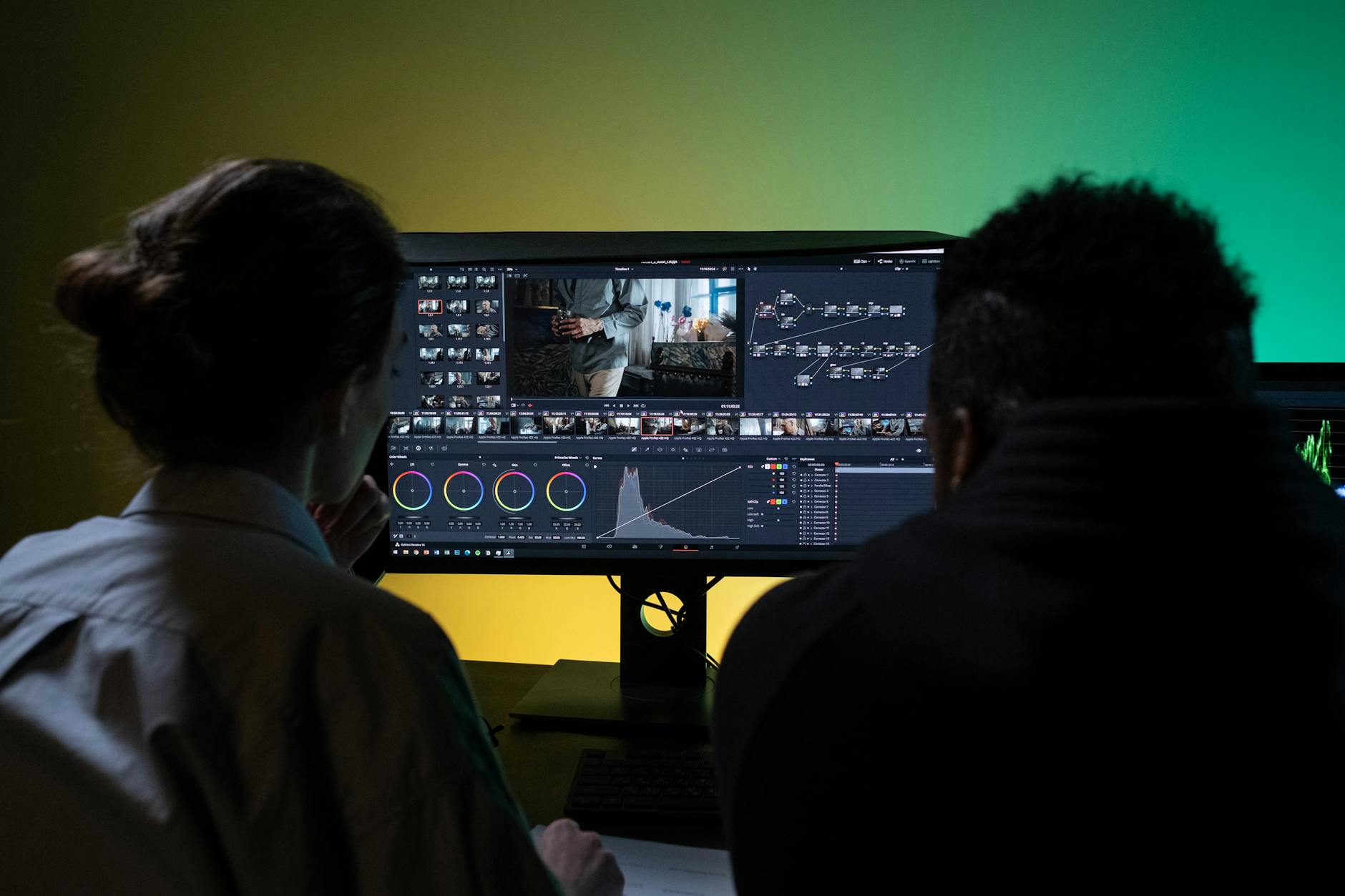
The applications of AI image enhancement for filmmakers extend far beyond simply upscaling old home movies to 4K. For the working professional, this technology solves a multitude of everyday production challenges. Consider the documentary filmmaker who relies on a mix of archival footage, verité-style interviews shot in uncontrolled lighting, and polished 4K sit-downs. AI enhancement allows them to unify these disparate sources, cleaning up the noise on the verité footage and upscaling the archival clips to create a visually consistent and high-quality final film that can meet the technical delivery standards of distributors like Netflix or HBO.
Let’s look at some other real-world examples. A wedding filmmaker can rescue a critical, once-in-a-lifetime shot captured in a dimly lit church. A VFX artist can upscale low-resolution texture maps or background plates to a higher resolution for more realistic composites. A corporate video producer can pull high-quality stills from a 1080p video interview to use in marketing materials, without them looking like blurry screenshots. Even concept artists are using these tools, taking rough AI-generated images from a tool like Midjourney and enhancing them to a print-quality resolution. To get started with that process, you can explore our Midjourney Mastery Guide.
The ultimate benefit is creative and financial flexibility. You are no longer solely limited by the resolution of your camera. You can make more creative choices on set, knowing you have a powerful tool in post to clean things up. You can confidently purchase older, more affordable camera gear from our Hero’s Essentials Gear & Tools list, knowing you can upscale the footage to match modern standards. Practical Tip: Create “presets” within your enhancement software for your different cameras. For example, have one setting for your GoPro footage that applies a specific level of sharpening and denoising, and another for your mirrorless camera’s low-light profile. This will save you immense time in post.
Pro Tip: Topaz Video AI excels at these exact scenarios. Its specialized AI models for different content types mean you can process documentary footage, wedding videos, and corporate interviews with optimal settings for each. Try Topaz Video AI free for 30 days and see the difference in your next project.
Internal Links for Further Learning
- Explore our complete list of creator recommendations: Hero’s Essentials Gear & Tools
- Learn how AI is changing the entire production pipeline: Filmmaking AI Workflows
- Master the art of AI concept creation with our guide: Midjourney Mastery Guide
Conclusion
The evolution of AI image enhancement for filmmakers is a game-changer. What was once the exclusive domain of Hollywood VFX studios is now an affordable, And when you’re ready to take your footage to the next level, get Topaz Video AI – the industry standard that’s trusted by professionals worldwide accessible, and indispensable tool for any creator who is serious about image quality. Tools like Aiarty Image Enhancer V3.5 represent a significant leap forward, offering the control and finesse needed to seamlessly integrate into a professional workflow.
By embracing this technology, you can save seemingly lost footage, elevate your production value, and unlock new creative possibilities. To see how AI can revolutionize your entire creative process, from initial concept to final render, be sure to check out our flagship tool, AI Render Pro.
FAQ
What is the main benefit of AI image enhancement over traditional methods?
The primary benefit is intelligence. AI understands context and can generate realistic detail when upscaling or removing noise, whereas traditional methods use mathematical interpolation that often results in a soft, blurry, or artifact-heavy image.
Can this software fix a shot that is completely out of focus?
No. AI can sharpen soft footage and enhance existing detail, but it cannot create information that isn’t there. A shot with a completely missed focus cannot be magically fixed, as the fundamental detail was never captured by the lens.
Is Aiarty Image Enhancer a one-time purchase or a subscription?
Aiarty Image Enhancer is typically offered as a perpetual license (one-time purchase) with a period of free updates. However, it’s always best to check their official website for the most current pricing model and any promotional offers, like the Black Friday discount mentioned for V3.5.
Discover more from Olivier Hero Dressen Blog: Filmmaking & Creative Tech
Subscribe to get the latest posts sent to your email.

Work with Olivier
Director | CD | DP & Photographer
Specializing in commercials, music videos, AI-driven filmmaking, and cinematic storytelling for brands and production companies.
🌍 Shanghai · Paris · Los Angeles · Dubai
🎬 View Portfolio & Get in Touch




[…] lies in leveraging technological advancements in filmmaking. Innovations in virtual production, AI image enhancement, and post-production workflows can offer efficiencies and creative possibilities previously […]
[…] disadvantage, lacking familiarity with the industry’s evolving standards. The ability to use AI image enhancement will become a baseline […]
[…] capturing footage are as seamless as possible. For insights into maintaining sharp focus, exploring AI image enhancement might offer complementary perspectives on post-production. The advancements in lens-based […]
[…] what it was supposed to be. For shorts leveraging newer tools, this is also where techniques like AI image enhancement and the broader VFX breakdown craft can salvage specific shots — but they salvage shots, not […]
[…] to detail is what sets AI Render Pro apart, offering a powerful solution for those exploring AI image enhancement for specific material […]
[…] real power of this velocity isn’t just getting the first image faster; it’s the ability to iterate without penalty. If a director wants to see that same astronaut […]
[…] nostalgic, idealized beauty shot. This kind of precise control over the output is where tools like AI image enhancement become invaluable. For more about specific film stocks and their characteristics, you can consult […]
[…] each one individually. This is a clear example of how digital tools, including those used for AI image enhancement, are revolutionizing content creation and delivery. Moreover, the AI avatar can participate in […]
[…] and artistic direction of publications like AnOther Magazine. Such precise directives within AI image enhancement prompts are what allow generative AI to deliver artistically coherent results. The focus on […]
[…] the noise, identifying recurring patterns and anomalies. It’s a process not dissimilar to how AI image enhancement tools process visual data to refine details; the smart umbrella’s algorithms refine raw […]
[…] and offline components required sophisticated technical prowess, perhaps even utilizing advanced AI image enhancement tools for digital streams to ensure optimal viewing quality, further contributing to the seamless […]
[…] aesthetics with futuristic elements is a powerful combination, offering a fresh take on typical AI image enhancement. The result is an image that feels less like a render and more like a captured moment from a dark, […]
[…] emotional connection audiences have with their work. Even in modern filmmaking, the impact of AI image enhancement or other post-production tools, when applied to classic footage, can elicit similar strong […]
[…] streamlined approach aligns well with modern post-production techniques, including those leveraging AI image enhancement tools, which benefit immensely from high-quality source […]
[…] invaluable in an industry that demands both technical prowess and artistic vision, similar to how AI image enhancement tools require an understanding of their underlying algorithms for optimal use. By leveraging […]
[…] The hype around AI’s creative potential is immense – and rightly so. Tools for AI image enhancement, automated editing, and even script generation are becoming indispensable. Yet, beneath the shiny […]
[…] level of visual exploration early in the production cycle. It’s a testament to how AI image enhancement can be leveraged for cinematic quality. For more on the role of AI in film production, a report by […]
[…] language will be crucial in conveying its emotional weight. This could involve careful use of AI image enhancement in post-production to refine visual details or subtle color grading techniques to evoke specific […]
[…] freedom, allowing filmmakers to truly leverage global resources and diverse talents, much like how AI image enhancement tools are becoming globally accessible, empowering creators […]
[…] strategic choices. For an in-depth look at how AI is transforming this space, articles on AI image enhancement are particularly […]
[…] and transparent practices. The pursuit of advanced AI models, particularly in sensitive areas like AI image enhancement and facial recognition, demands meticulous attention to data sourcing and […]
[…] human perspective. Beyond text, AI’s prowess extends to visual content. Tools capable of AI image enhancement, generation, and even prompt engineering for video are readily available. This means that a single […]
[…] a filmmaker interested in how AI tools are changing production workflows, check out our coverage of AI image enhancement and next-generation editing […]
[…] Muniz had to be agile, both physically and emotionally, to keep up. This immersion in a high-level production environment, working alongside seasoned professionals, undoubtedly honed his instincts. It taught […]
[…] context — The rise of specialized, high-cost optics like DTF Louis influences production budgets and creative expectations, pushing filmmakers to balance aspirational aesthetics with practical […]
[…] based on specific historical or futuristic styles. This doesn’t replace the vision of a production designer; it empowers them to realize that vision with unprecedented speed and […]
[…] strong foothold in the creative industry with its Gen-1 and Gen-2 models, Sora’s integration into existing production pipelines felt less developed. Runway, for example, has focused on control mechanisms, offering tools for style […]
[…] $60–70M budget made it A24’s most expensive production to date, surpassing Civil War. It went on to become their highest-grossing film at $179.3M […]