
Posts
Need a Director for Your Next Project?
From commercials to branded campaigns—Olivier brings creative vision and technical expertise.
→ View ProjectsAsk ChatGPT for a practical effects wound test and you get a refusal before you get a chance to explain the brief. That is the actual reason to write this post. AI Render Pro Studio routes horror and creature work through models that do not treat every gore reference as a violation, and this is what that testing process actually looked like, failures included. Same rule as every test on this blog: real renders, real failures shown, nothing staged to look cleaner than it was.
The brief
Four categories a working horror production actually needs: creature design, wound and prosthetic effects, gore set dressing, and a full creature suit. Run through ARP Studio’s model options, mainly GPT Image 2 and Stable Diffusion 3.5 Large, since those cover the closed-model and open-model ends of what the tool offers.
Practical effects that worked on the first try
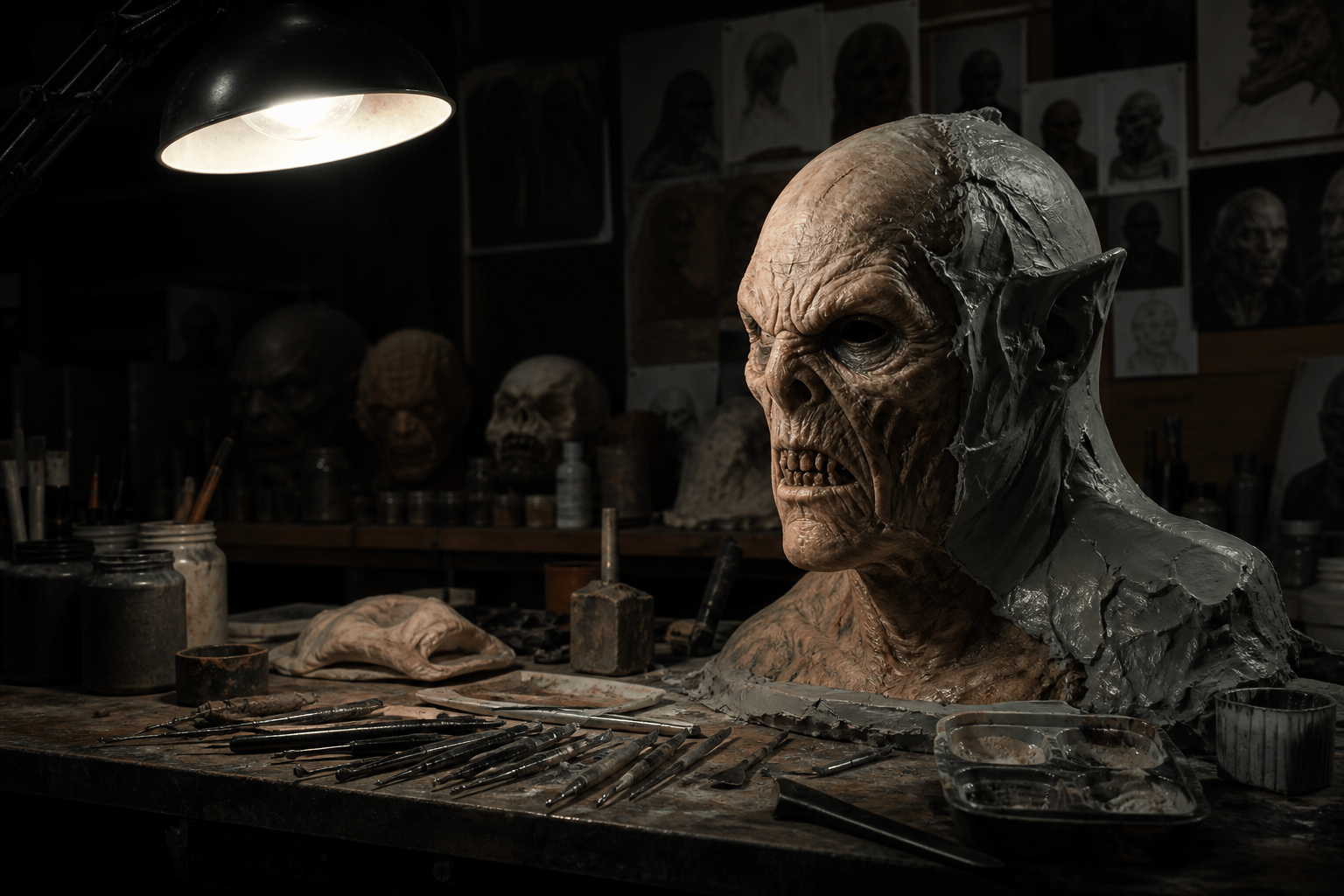
Creature design was the easy win. A practical-effects framing, textured prosthetic skin, studio lighting, no character reference, and both models delivered usable concept art immediately.
Environment work for practical effects sets is even more reliable. No anatomy involved at all, so there is nothing for a content filter to weigh in on.
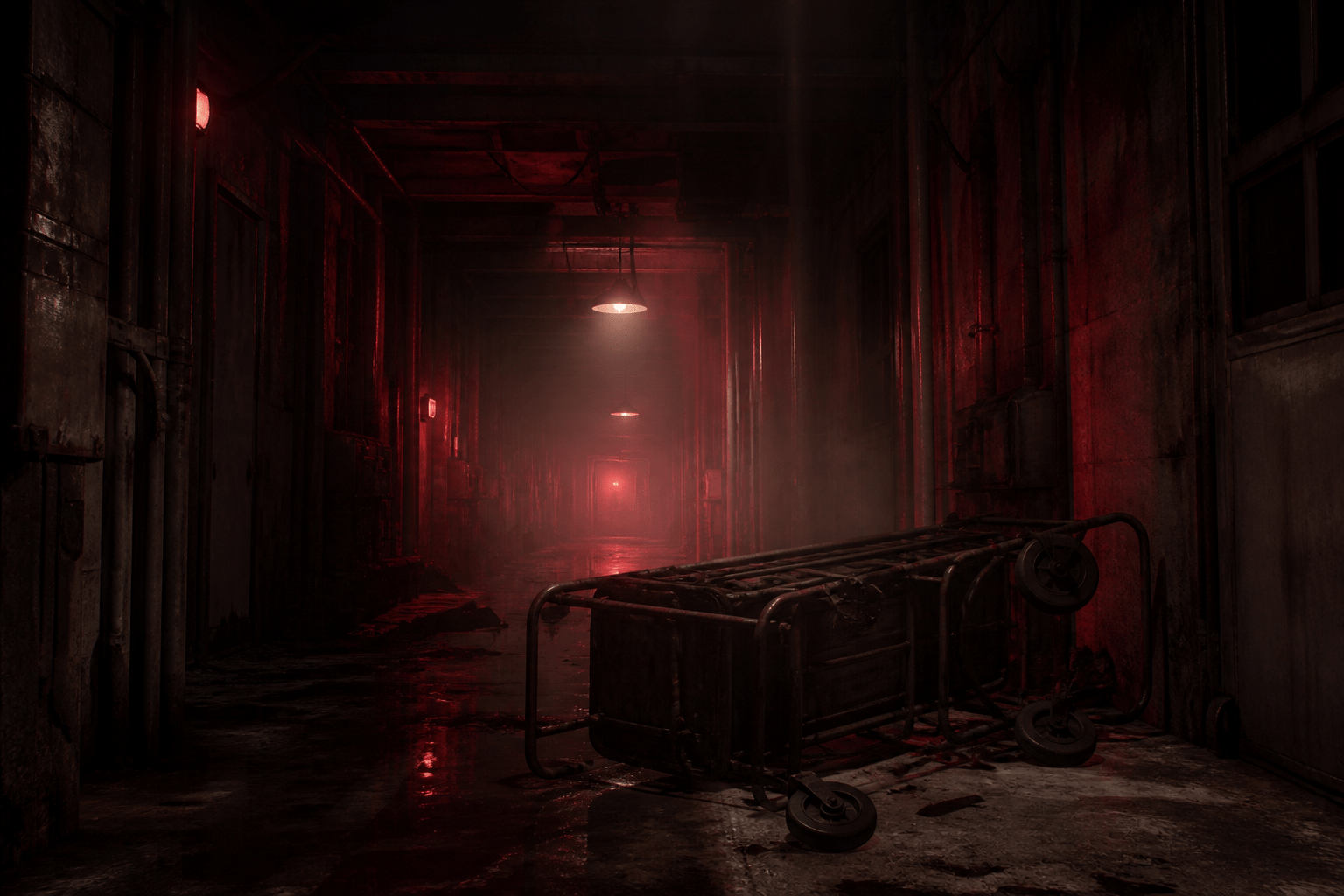
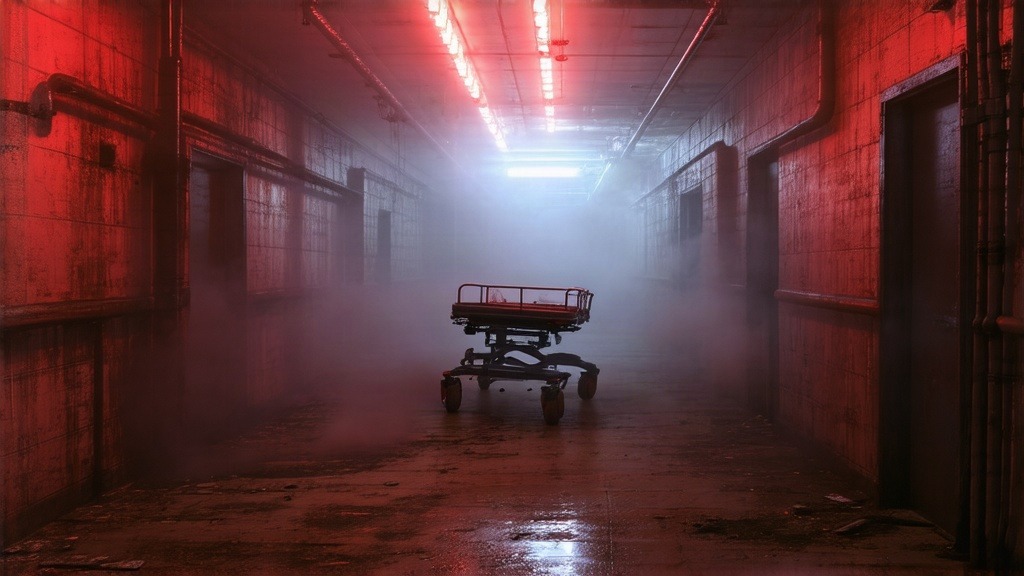
If you are building mood boards or set references for a horror project, this category has no friction. Any model handles it.
The first real refusal
The wound and prosthetic test hit a wall on the first attempt. The prompt described a practical effects wound with the phrase “exposed sinew at the shoulder,” and GPT Image 2 declined it outright, no partial result, just a rejection. Dropping that specific phrase while keeping every other part of the brief, practical effects, prosthetic makeup, studio lighting, let it through cleanly on the next attempt.
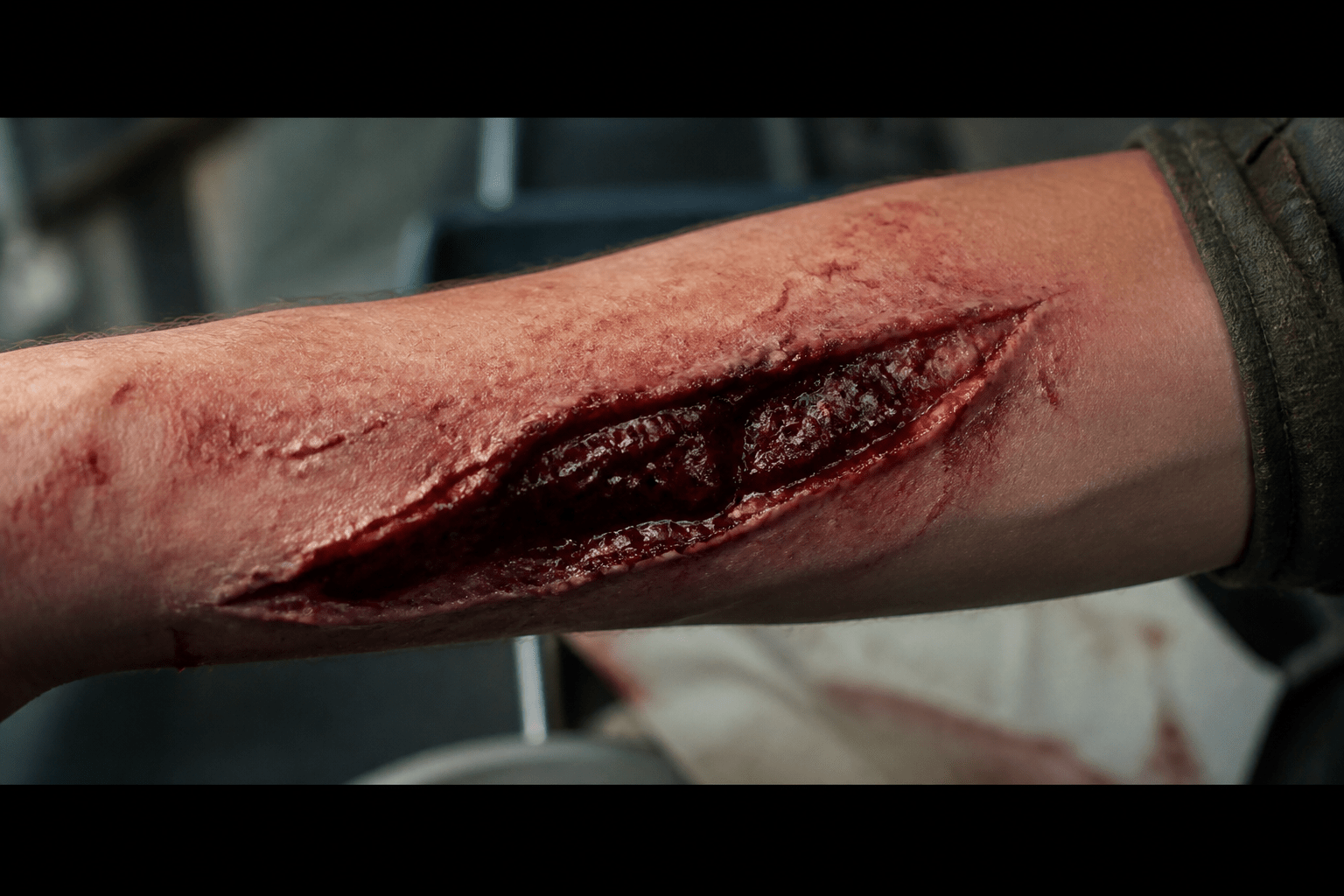
The lesson isn’t “avoid gore,” since the image above is exactly that. It’s that certain anatomical words read as more literal to the filter than the visual result actually is. “Wound,” “prosthetic,” and “stage blood” all passed fine. “Exposed sinew” specifically did not. If a prompt gets refused, the fix is usually a word swap, not an idea change.
The fail that mattered more
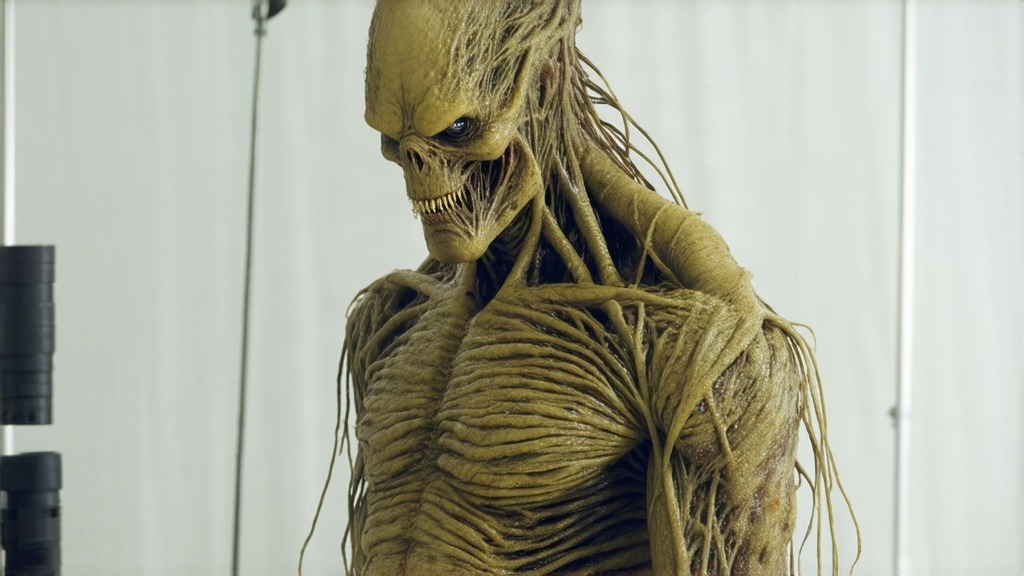
This is the one worth actually paying attention to. The full creature suit brief asked for elongated limbs and textured latex skin, and the first result on Stable Diffusion came back as a nude human figure rather than a creature. No claws, no monster head, just a human body with skin texture applied. Not usable, and not what was asked for. The fix was being explicit about what should not appear, not just what should. Adding “non-human costume, no human anatomy or genitalia visible” to the same brief produced this on the next attempt:
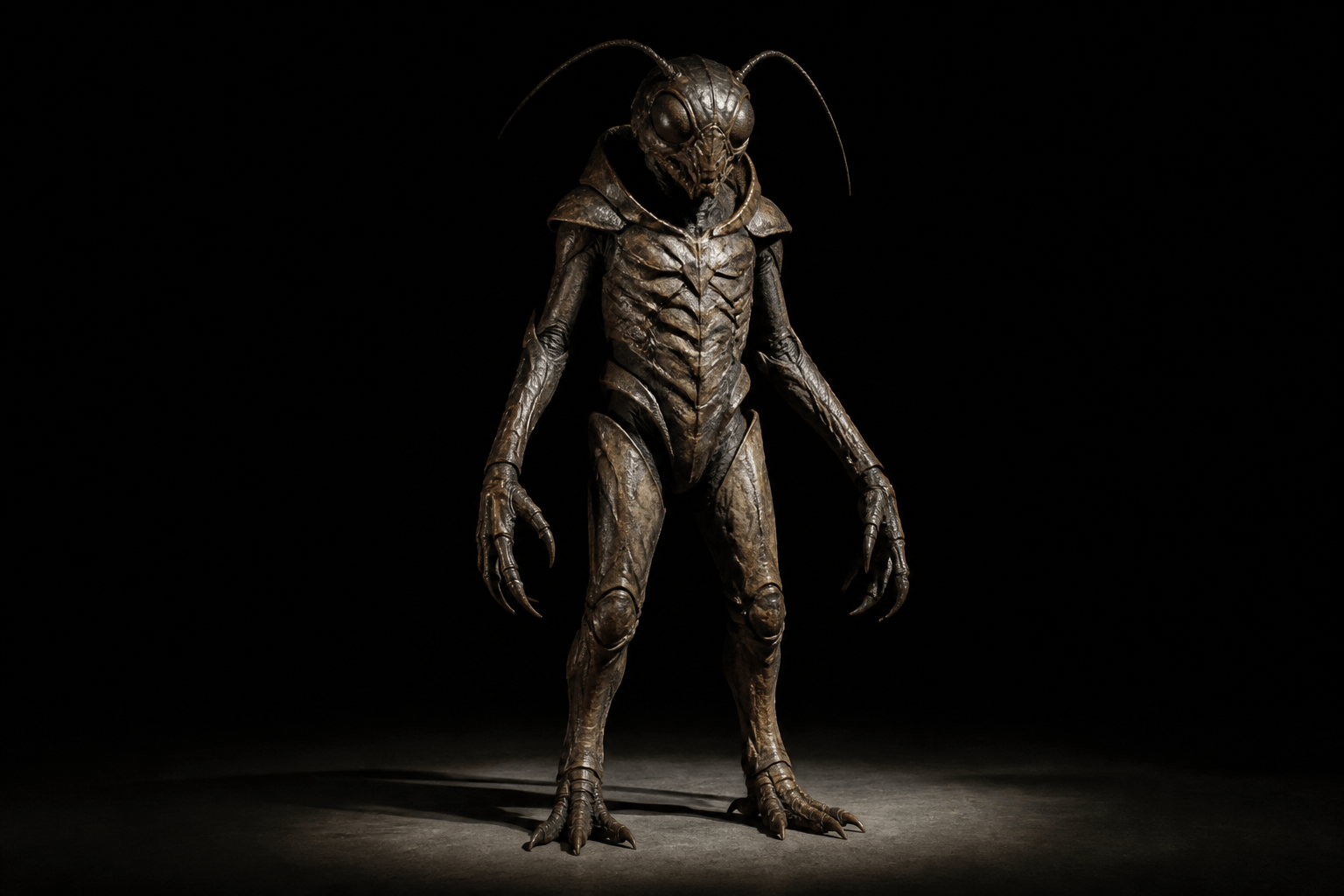
That is the actual prompting skill for this category. A brief built entirely from positive description, elongated, textured, latex, can drift toward the nearest thing the model has seen a lot of, which is a human body. Naming what must not appear closes that gap. This applies to any body-adjacent creature brief, not just this one image.
A second creature design, same lesson applied
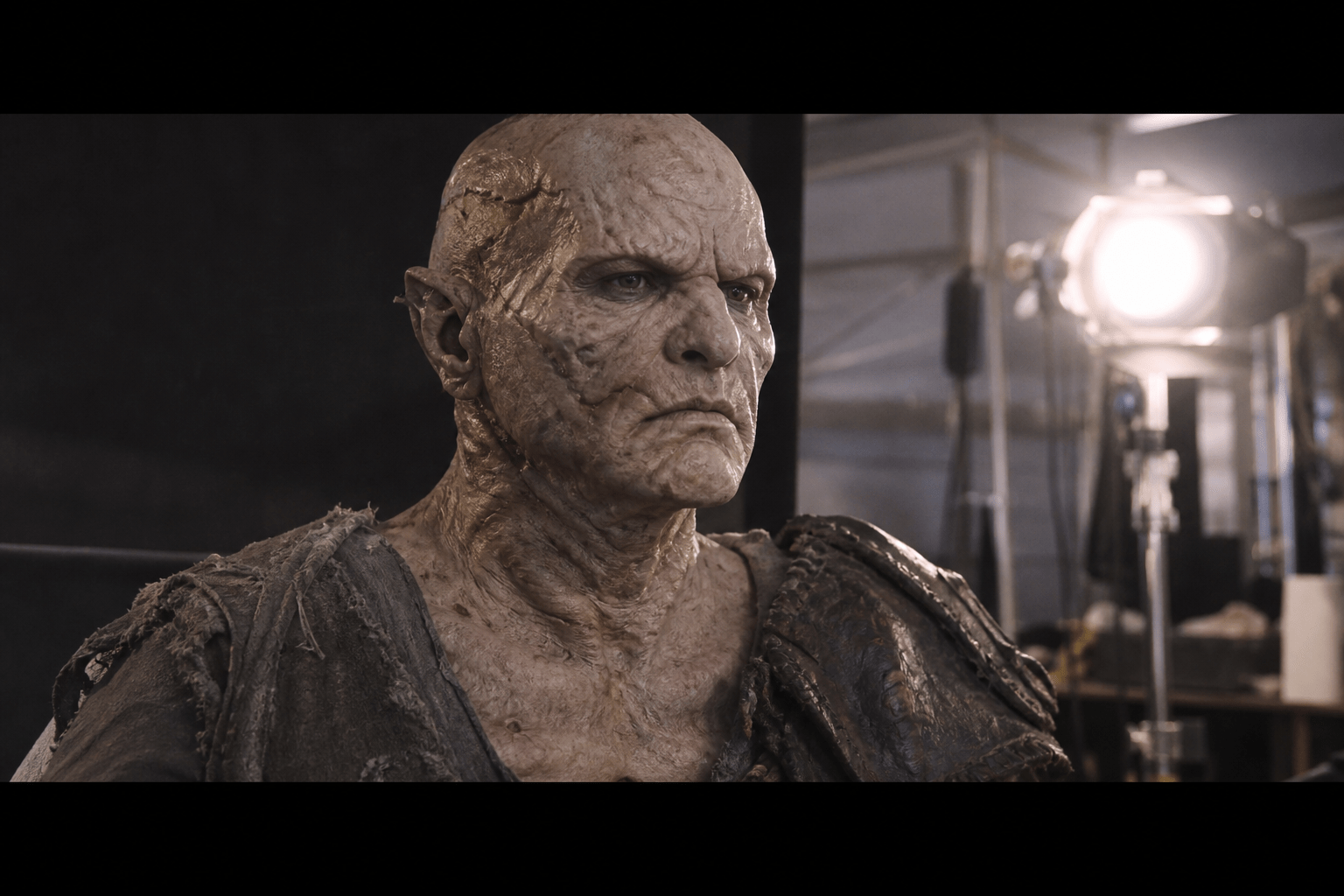
Running a second creature-makeup brief with the constraint built in from the start, rather than added after a bad result, produced a clean result on the first attempt.
Where this actually fits a production
Concept art for practical effects has traditionally meant either a sketch artist on day rate or the effects supervisor’s own reference pull from other films. Both work, and neither is fast. A creature design like the ones above takes minutes, which changes what it’s useful for. The realistic use case isn’t replacing a practical effects team. It’s giving that team something concrete to react to before a single dollar of prosthetic budget gets spent. Show a supervisor three creature directions generated in an afternoon instead of describing them verbally, and the note-giving gets faster and more specific. The same applies to a pitch deck: an indie horror project competing for financing looks more real with actual creature and set concept art attached than with a mood board of other people’s films. None of this replaces a practical effects artist’s actual craft. A generated image is a starting point for a conversation, not a build sheet.
Which model for which kind of horror
The four tests above cluster into patterns worth knowing before you start a project rather than after burning a session finding out. Creature and monster design. Both models are reliable here. GPT Image 2 tends to produce more anatomically coherent, production-ready designs on the first attempt. Stable Diffusion 3.5 leans more painterly and textural, which suits a moodier, more abstract creature. Practical wound and prosthetic effects. GPT Image 2 is the more consistent choice, but avoid clinical anatomical language in the prompt, describe the effect and the materials, not the anatomy underneath it. Empty sets, environments, gore dressing. Either model handles this well since there’s no anatomy involved at all. Pick based on aesthetic preference rather than reliability. Full body creature suits. This is the category that needs the most explicit prompting, see the fail above, so budget an extra attempt or two here regardless of which model you start with.
A reusable prompt structure
Every successful prompt in this test followed the same shape, and it’s worth lifting directly: Subject and craft framing (a practical effects test, a creature suit, a makeup application) tells the model this is fictional effects work, not a request about a real body. Material and texture (latex, silicone, prosthetic, marble, armor plating) grounds the image in the actual physical medium being simulated. Lighting and setting (studio work light, black backdrop, practical set lighting) does most of the work toward a production-quality result rather than a generic render. An explicit negative constraint when the subject is body-adjacent (no human anatomy, no genitalia visible, fully in-costume) closes the gap that positive description alone leaves open, as the full creature suit test showed directly.
What this means for actually using the tool
Four things that held across every test in this set: Environment and set work is friction-free on any model. Start there if you are new to generating horror content and want a fast win. Creature and monster design is reliable as long as the brief stays clearly non-human. Say so explicitly rather than assuming the model will infer it. Wound and prosthetic effects work, but avoid clinical anatomical phrasing. Describe the effect, prosthetic, stage blood, makeup, rather than the anatomy underneath it. When a result drifts wrong, the fix is almost always a missing constraint, not a wrong idea. Every failure in this test was solved by adding one sentence, not by abandoning the brief. None of this required the uncensored, no-guardrails framing that gets pitched around AI image tools. Every image above is standard horror-genre content, the kind already published on genre sites and BTS features industry-wide. ARP Studio’s value here isn’t bypassing anything, it’s not refusing a legitimate creature or effects brief the way a general-purpose consumer tool will.
Why I Built This Into AI Render Pro Studio
Everything above came out of AI Render Pro Studio, which is the pipeline I built for my own productions and now sell. Three things about it matter specifically for work like this horror test.
A refusal should cost you a click, not a session
The refusal earlier in this post is the everyday reality of horror and creature work. Every provider draws its content line in a different place, and none of them explain where. On a single-model platform a refusal ends the shot. Studio puts more than 30 video models and a full set of image models in one workspace, from Seedance and Kling through Veo, Wan and HappyHorse, including the less restrictive ones. When one model declines a legitimate prosthetic or stage-blood brief, you send the same prompt to another and keep working. Same prompt, different policy, thirty seconds lost instead of an afternoon.
No credits, no markup on your renders
This is the part that actually decides what a project costs. The standard model across AI platforms is a subscription, then credits on top, with a margin on every generation and a balance that resets whether you used it or not. Iterating a creature design across twenty attempts, which is what this article is, is exactly the workload that model punishes.
Studio does not resell compute. You connect your own provider keys, Atlas Cloud, fal.ai, Krea and others, and pay the provider directly at their price. The subscription covers the suite, the workflow and the updates. No credit packs, no expiring tokens, no markup between you and the render. On a real project that difference is not a rounding error, it is the budget.
Upscaling is included, not a separate bill
Most platforms treat upscaling as a premium action with its own price per image, which is absurd when a finish pass is the one step you cannot skip. Studio includes retouch and upscaling past 7K with Clarity and Topaz inside the same workspace, on the same flat subscription. Alongside it: script breakdown, storyboards, image generation, an audio studio for voice, music and sound design, and cloud history so a render survives a closed tab.
It costs $19 a month, or $190 a year, which is two months free. There is a 7-day free trial and it does not ask for a card.
Start the free 7-day trial See AI Render Pro Studio
Frequently Asked Questions
Is this against any platform’s content policy?
No. Every image in this test is standard horror and practical-effects content, the same category already published on genre and behind-the-scenes sites industry-wide. Nothing here required disabling a safety setting or working around a model’s guardrails.
Who owns the renders?
Both OpenAI and Stability assign you the output, but that’s a different question from copyright, and AI-generated images carry real limits there. We covered exactly where that line sits in our breakdown of AI image commercial rights, worth reading before these go anywhere near a client deliverable.
Can I use these directly in a finished production?
As concept art and pre-production reference, yes. As a final on-screen asset, treat it the way you’d treat any placeholder, a starting point the effects and art departments build the real thing from. Try practical effects work yourself in our AI prompting and image generation hub, or head straight to AI Render Pro Studio. The Prompt tier starts free.
Discover more from Olivier Hero Dressen Blog: Filmmaking & Creative Tech
Subscribe to get the latest posts sent to your email.
Work with Olivier
Director | CD | DP & Photographer
Specializing in commercials, music videos, AI-driven filmmaking, and cinematic storytelling for brands and production companies.
🌍 Shanghai · Paris · Los Angeles · Dubai
🎬 View Portfolio & Get in Touch