
Key Takeaways
- First insight: AI filmmaking is now a complete pipeline, not a novelty. You can move from script to screened short using tools that handle writing, storyboarding, shot generation, voice, and editing, but only if you treat each stage as a craft step with its own rules.
- Craft highlight: The most important skill is prompt iteration. A usable AI film is built through dozens of rejected generations, tight shot lists, and a clear visual language before you ever open a video editor.
- Industry context: The tool landscape shifts monthly, but the production logic stays constant. Understanding the stages of the pipeline matters more than memorizing the latest app name, because the tools change faster than the workflow.
- Bottom line: Start with a three-minute film, set a micro budget, and finish something. The filmmakers who learn by completing projects will outpace those who wait for the perfect tool.
AI filmmaking has moved from experimental clips to a working production method, and this practical guide breaks down exactly how to make an AI generated movie from first idea to final export. The hype cycle is over. What remains is a set of concrete tools, prompts, and workflows that any filmmaker can adopt this week, without a studio budget or a team of engineers.
Need a Director for Your Next Project?
From commercials to branded campaigns—Olivier brings creative vision and technical expertise.
→ View ProjectsI have spent the past year inside a working director’s studio, watching how real productions adopt these systems, and the patterns are clear enough to teach.

The AI Filmmaking Pipeline, Stage by Stage
The entire AI filmmaking process breaks into five distinct stages: development, preproduction, production, post, and delivery. Each stage uses different tools, and the mistakes happen when filmmakers try to skip one. The artificial intelligence in film space has matured to the point where every one of these stages has viable commercial tools.
Development is where you write the script and break the story. AI helps with structure, dialogue passes, and generating alternate versions of scenes. Preproduction covers storyboards, shot lists, and visual references. This is where most amateur AI films fall apart, because they skip planning and go straight to generating clips.
Production is the generation phase. You create the actual video shots, images, and voice performances. This is the most tool-dependent stage, and it is also where your prompt discipline matters most. Post-production brings everything together: editing, sound design, color, and any VFX cleanup. Delivery is the final export, subtitles, and distribution.
The basics of AI filmmaking course breaks this down further into the specific prompts and steps used at each stage. The key insight is that generative tools are not a replacement for the pipeline. They are a replacement for specific labor within each stage. A director still needs to know what a shot is for, why a scene needs coverage, and how to pace an edit.
The practical consequence is simple: learn the pipeline first, then learn the tools. If you understand that a storyboard exists to lock your visual language before you generate a single frame, you will save hours of wasted renders. If you treat AI as a magic box that turns a paragraph into a film, you will get a disjointed sequence of pretty images with no narrative spine.
Scripting and Story Development Tools

Script development is where AI delivers the fastest return on investment, because text models are more mature than video models. You can generate loglines, beat sheets, full scene drafts, and alternate dialogue in minutes, then spend your creative energy on selection rather than typing.
The practical workflow starts with a premise. Feed a language model your concept, your protagonist’s flaw, and the central conflict. Ask for three different structural approaches. Then ask for a beat sheet for each. This gives you options to react to, which is faster than staring at a blank page.
The practical handbook on AI tools for filmmaking emphasizes that free and accessible AI technologies are enough for scripting and storyboarding. You do not need expensive enterprise tools to write a good draft. A capable language model, a clear prompt, and a willingness to revise will get you there.
The craft rule that matters: never accept the first draft. AI generates competent prose, not distinctive voice. Your job is to inject the specificity that makes a scene feel real. That means rewriting dialogue to match your characters’ speech patterns, cutting exposition that the model added because it sounds cinematic, and adding the small behavioral details that AI consistently misses.
A second rule: keep a version history. When you iterate on a scene, save every draft. The best version of a line is often a hybrid of the second and fourth attempts. If you only keep the final output, you lose the raw material for that hybrid.
The third rule is about scope. AI makes it tempting to write a feature-length script in a weekend. Do not. Write a short. A three-page script gives you room to actually produce it, and production is where you learn what your writing missed.
The scripting tool stack
Eight tools cover the writing stage. You only need one or two of them.
- ChatGPT: fast structure passes, beat sheets and dialogue variations on demand
- Claude: long context script notes and rewrites that keep your voice intact
- Google Gemini: research, treatments and coverage inside the Google ecosystem
- Sudowrite: fiction focused drafting with scene expansion and rewrite controls
- NovelCrafter: codex driven long form writing that keeps characters consistent
- Arc Studio: proper screenplay formatting with an AI co writer built in
- Celtx: script to schedule planning with AI assists for breakdowns
- Notion AI: outlines, research and production notes where the project already lives
Storyboarding and Previsualization
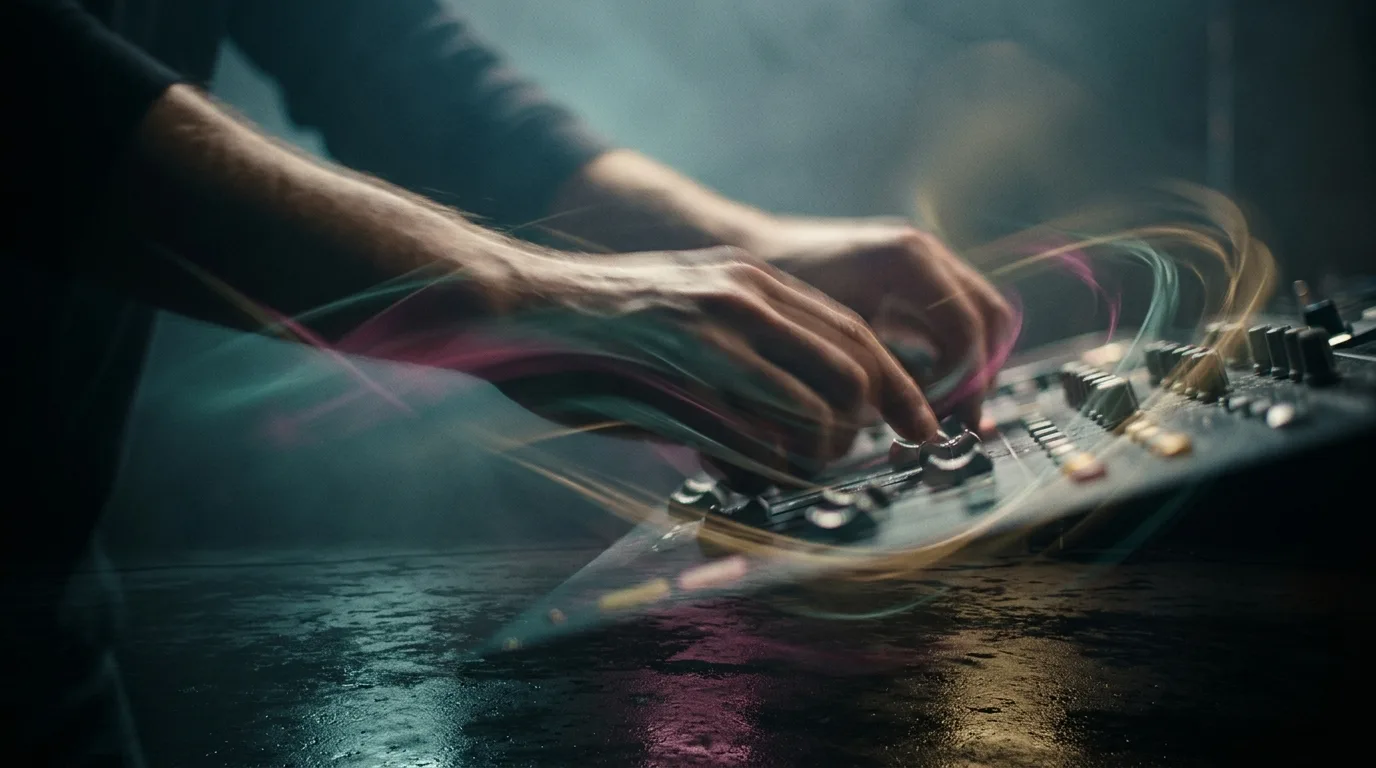
Storyboarding is the stage where AI saves the most money, because it replaces the expensive and slow process of hiring an illustrator or shooting reference footage. You can generate a full visual plan for your film in an afternoon, then use that plan to guide every subsequent generation.
The workflow is straightforward. Break your script into shots. For each shot, write a prompt that describes the composition, the camera angle, the lighting, the character’s position, and the mood. Generate an image for each. Review the sequence as a whole, not shot by shot, because continuity problems show up when you view the board together.
The step-by-step AI filmmaking guide stresses that the production process behind an AI film depends on this previsualization stage. The images you generate here become the reference for your video generation prompts. If you change the character’s costume in shot twelve, you must go back and update every shot that features that costume, or your film will have visible continuity errors.
A practical tip: generate your storyboard at a consistent aspect ratio. If you plan to deliver in 16:9, storyboard in 16:9. This forces you to think about composition in the frame you will actually use, rather than discovering mid-production that your wide shots do not fit your delivery format.
Another tip: use the storyboard to lock your color palette. Decide whether your film is warm or cool, high contrast or soft, saturated or muted. Generate every storyboard frame within that palette. Video generation models respond to consistent visual references, and a locked palette is the easiest way to get consistent output.
The final storyboard should be a document you can hand to anyone. It should communicate the visual plan clearly enough that a stranger could generate the film from it. If it does not, you have not finished preproduction.
The storyboard and previz tool stack
Ten tools for turning the script into frames before anyone generates a second of video.
- Midjourney: still the strongest look development engine for frames with intent
- FLUX: Black Forest Labs model family with excellent prompt adherence for precise frames
- Nano Banana: Google’s image model, the consistency pick for recurring characters
- Ideogram: the one to use when text must appear inside the frame
- Leonardo AI: style consistent batches with fine control over models and seeds
- Krea: real time generation and upscaling built for iterating on a look
- Recraft: vector and brand consistent output, strong for title cards
- LTX Studio: full previz suite, script to animatic in one environment
- Boords: storyboard management with AI generation inside a production tool
- Katalist: script in, storyboard out, with character consistency across panels
Video Generation: The Core of the Work
🎬 AI Render Pro Studio, the AI film production suite I built and use on my own productions. Script breakdown, storyboards, 30+ video models including Seedance 2.5 and Kling O3, image generation, retouch, 7K upscaling and audio, all in one browser workspace. $19/month flat, bring your own API keys and pay providers at cost, no credit packs, no markup. Try AI Render Pro Studio →
Video generation is the stage everyone talks about and the stage where most projects die. The tools are impressive, but they are also unpredictable, slow, and expensive if you iterate carelessly. The discipline that saves you is the shot list you built in preproduction.
The fundamental workflow is prompt to clip. You write a detailed prompt describing the shot, the motion, the camera movement, and the duration. The model generates a short clip, typically two to ten seconds. You review it, reject most of them, and regenerate until you get a usable take.
The comprehensive guide to AI filmmaking tools catalogs more than fifty tools across the production pipeline. The video generation category is crowded, and the leaders change quarterly. Do not marry a single tool. Build your workflow so you can swap the generation engine without rebuilding your pipeline.
The craft rule that separates professional results from amateur output is prompt specificity. A prompt that says “a woman walks down a street” will produce generic footage. A prompt that says “a woman in a red coat walks down a narrow cobblestone street at dusk, rain-slicked pavement reflecting neon signs, slow dolly forward, shallow depth of field, melancholic mood” will produce something closer to usable.
Even with a good prompt, expect a low acceptance rate. A ten percent success rate is normal. That means generating ten clips to get one usable shot. Budget your time and compute accordingly. For a three-minute film with sixty shots, plan on generating six hundred clips to be safe.
The second craft rule is about motion. AI video models struggle with complex or sustained motion. Faces, hands, and rapid camera moves are the weak points. Plan your shots to minimize these failure modes. A static wide shot with subtle background motion will look better than a close-up with a character turning their head.
The video generation tool stack
Thirteen engines, each with a personality. Test three on your own material before committing a budget.
- Seedance 2.5: ByteDance’s model, 30 second single shots steered by up to 50 multimodal references
- Kling: strong motion and physics, but read the credit pricing closely
- Google Veo: integrated video and audio generation at high fidelity
- OpenAI Sora: strong world simulation, best for surreal and establishing material
- Runway: the production suite, generation plus editing tools working filmmakers use
- Luma Dream Machine: fast iteration with solid image to video
- Pika: stylized motion and effects with a playful control set
- Hailuo: expressive character motion from stills, by MiniMax
- Wan: Alibaba’s open weights model you can run and fine tune yourself
- Hunyuan Video: Tencent’s open weights option with strong motion quality
- Vidu: fast multi reference generation for consistent subjects
- Higgsfield: camera move presets that read like real cinematography
- LTX Video: Lightricks’ fast open model for near real time drafts
Prompting and workflow
Three tools that sit between you and the models above.
- AI Render Pro: Olivier’s own prompt generator, 95 named camera techniques formatted for 29 image and video models, $9 a month
- ComfyUI: node based control when you need a repeatable generation pipeline
- OpenArt: multi model playground for testing one prompt across engines
Performance, avatars and lip sync
Six tools for putting a performance on a generated face.
- HeyGen: avatar video and translation with convincing lip sync
- Synthesia: enterprise grade presenter avatars for studio clean delivery
- D-ID: talking heads from a single still
- Hedra: expressive character performance driven by audio
- Sync Labs: lip sync for matching new dialogue to existing footage
- Runway Act-One: performance capture from a phone video onto a generated character
Voice, Sound, and Music Generation
Audio is the most underrated stage in AI filmmaking, because audiences forgive imperfect visuals far more readily than they forgive bad sound. A film with mediocre images and clean audio feels professional. A film with stunning images and muddy dialogue feels amateur.
The workflow splits into three tracks: voice, sound effects, and music. Voice generation has advanced rapidly. Modern tools can produce natural-sounding dialogue from a text script, with control over pacing, emotion, and even accent. The key is to generate each line separately and then edit them together, rather than generating a full scene in one pass.
The AI filmmaking course highlights that modern tools allow you to create stories using generative systems across every medium. Audio is part of that. The course emphasizes that sound design is not an afterthought. It is a primary storytelling tool.
For sound effects, the practical approach is a hybrid. Generate the sounds you can, but do not be afraid to record your own foley for critical moments. A door closing, a glass setting on a table, footsteps on gravel: these simple recordings add a layer of reality that pure generation cannot match.
Music generation has become genuinely useful. You can generate a score that matches your film’s mood and tempo, then iterate until it fits. The trick is to generate music that leaves room for dialogue. Sparse arrangements with clear dynamics work better than dense orchestration.
The mixing stage matters more than the generation stage. Balance your dialogue, effects, and music so the audience never struggles to hear a line. Use EQ to separate frequencies. Add room tone to smooth the edits between clips. A good mix can hide a multitude of generation sins.
The voice, sound and music tool stack
Ten tools that cover dialogue, cleanup and score.
- ElevenLabs: the voice standard: cloning, dubbing and sound effects
- Play AI: fast text to speech with a deep voice library, formerly PlayHT
- Resemble AI: voice cloning with real time conversion and watermarking
- Murf: clean narration for explainer and commercial work
- Adobe Podcast Enhance: one click dialogue cleanup, free
- Suno: full songs from a text brief, vocals included
- Udio: Suno’s main rival, strong on genre authenticity
- Stable Audio: instrumental beds and texture from Stability AI
- AIVA: orchestral scoring with editable MIDI output
- Soundraw: royalty safe adaptive tracks with structure editing
Editing, VFX, and Post-Production

Post-production is where an AI film either comes together or falls apart, because this is where you impose rhythm and continuity on the generated material. The editing principles are identical to traditional filmmaking, but the material demands extra attention.
The first task is assembly. Cut your selected clips in order, then watch the whole thing. You will immediately see the problems: a character whose face changed between shots, a background that shifted color, a prop that appeared and vanished. This is the continuity nightmare of AI generation, and it is why preproduction consistency matters so much.
The second task is repair. Some continuity errors can be fixed in post. A color mismatch can be graded. A background shift can be masked and stabilized. A face change cannot be fixed, which is why you must catch it before you commit to the clip.
The complete guide to making movies with AI walks through the full pipeline and emphasizes where AI helps most. Post-production is a place where traditional skills still dominate. Your editing, color grading, and sound mixing abilities will determine the final quality more than any generation tool.
The third task is pacing. AI clips tend to be short, which means your edit will have a fast rhythm by default. That is fine for action, but it is wrong for drama. Use longer clips for emotional scenes, and let the camera hold. Add pauses. Let the audience breathe.
VFX cleanup is the final layer. Remove artifacts, stabilize shaky footage, and fix the small glitches that generation models leave behind. This is painstaking work, but it is what separates a finished film from a demo reel.
The delivery stage is about export settings, subtitles, and color space. Export at the highest quality your platform accepts. Add accurate subtitles, because many viewers watch with sound off. Check your film on a phone and a television, because the experience differs.
The editing and post tool stack
Twelve tools for the stage where the film actually gets made.
- DaVinci Resolve: Magic Mask, voice isolation and Neural Engine tools in free software
- Adobe Premiere Pro: text based editing and generative extend
- CapCut: fast social cutdowns with automatic captions
- Descript: edit the video by editing the transcript
- Opus Clip: long form into vertical clips automatically
- Topaz Video AI: the upscaling and frame interpolation standard
- Magnific: creative upscaling that adds believable detail
- Adobe Firefly: generative fill and extend inside the Adobe stack
- Photoshop: generative fill for plate cleanup and set extensions
- Colourlab Ai: AI color matching and grading assistance
- fylm.ai: browser based AI color grading
- Auphonic: automated loudness and audio post for the final mix
A Realistic Budget for Your First AI Film
The cost of an AI film varies wildly, from nearly free to thousands of dollars, depending on your tools and your iteration rate. A realistic first film, a three-minute short, can be made for under a hundred dollars in tool subscriptions if you plan carefully.
The budget guide for your first AI film breaks down the numbers in detail. The pattern is clear: subscriptions are the main cost, and your iteration rate determines how much compute you consume.
Start with free tiers. Most generation tools offer a limited number of free generations. Use these to learn the tools and test your workflow before you spend money. The free tier is enough to make a one-minute test film and discover your weak points.
Once you commit to a project, budget for one or two paid subscriptions. A text model for scripting, a video generation tool for shots, and a voice tool for dialogue. You can survive with two tools if you choose wisely. A video generation subscription is the biggest expense, so choose based on the tool’s quality at the aspect ratio and style you need.
The hidden cost is time. Generation is slow, and iteration is slower. A three-minute film with sixty shots, at a ten percent acceptance rate, means six hundred generations. At thirty seconds per generation, that is five hours of waiting, plus review time. Budget a full weekend for production alone.
The second hidden cost is storage. Generated clips are large, and you will generate far more than you use. Set up a folder structure before you start, and delete rejected clips ruthlessly. A clean project directory saves hours of searching.
The final cost is your own patience. The first film will take longer and look worse than you hope. That is normal. The second film will be faster and better. The third will be genuinely good. Budget for the learning curve.
A Monday Morning Workflow That Works

You can start making an AI film today, and here is the exact workflow to follow. This is a practical sequence that assumes you have no existing pipeline and want to see results by the end of the week.
Monday: write a three-page script. Use a language model to generate a first draft, then rewrite it by hand. Focus on one location, two characters, and a single conflict. This scope keeps your production manageable.
Tuesday: break the script into shots. Aim for thirty to sixty shots for a three-minute film. For each shot, write a detailed prompt covering composition, camera, lighting, and mood. Generate a storyboard image for each shot.
Wednesday: generate your video clips. Work through the shot list in order. For each shot, generate until you get a usable take. Keep your best take and move on. Do not polish a single shot at the expense of completing the sequence.
Thursday: generate your audio. Record or generate dialogue for each line. Generate a music bed and any sound effects you need. Then edit everything together in your video editor.
Friday: finish the edit. Add subtitles, grade the color, and mix the audio. Export the final film and watch it on your phone. Then show it to someone and ask for honest feedback.
This workflow produces a finished film in five days. It will not be perfect, but it will be complete, and completion is the goal. The three-part course on AI filmmaking basics reinforces this approach: learn by making, not by studying.
The key to this workflow is the shot list. It is the backbone of your production, the document that keeps every stage aligned. If you spend Tuesday well, the rest of the week flows. If you skip the shot list, you will spend Wednesday and Thursday fighting the tools.
The second key is ruthless prioritization. When you are behind schedule, cut shots, not quality. A film with forty good shots beats a film with sixty mediocre ones. Your audience will not know what you cut, but they will feel the quality difference.
The Mistakes That Sink AI Films
Most AI films fail for the same five reasons, and all of them are avoidable. The first mistake is skipping preproduction. Filmmakers generate clips before they have a shot list, then try to assemble a story from random footage. This produces a sequence of pretty images with no narrative logic.
The second mistake is ignoring continuity. AI models cannot maintain character consistency across shots unless you force it. If you do not lock your character’s appearance in preproduction and reference it in every prompt, your protagonist will change faces, clothes, and body types from shot to shot.
The third mistake is weak audio. Filmmakers spend hours on visuals and then add a music bed and call it done. The result is a film that looks professional and sounds amateur. Dialogue must be clear, sound effects must be intentional, and the mix must be balanced.
The fourth mistake is over-reliance on a single tool. The AI tool landscape shifts monthly, and the tool that is best today may be obsolete next quarter. Build a workflow that lets you swap tools without rebuilding your pipeline. The guide to fifty-plus AI filmmaking tools shows how quickly this landscape changes.
The fifth mistake is perfectionism. Filmmakers generate hundreds of clips trying to get the perfect take, then run out of time and budget before they finish the film. The goal is a completed film, not a flawless one. Ship the imperfect film, learn from it, and apply those lessons to the next one.
There is a sixth mistake that deserves mention: treating AI as a replacement for taste. The tools generate options, but you still have to choose. The choice is the creative act. If you delegate that choice entirely to the model, you get generic output. Your specific, opinionated selections are what make the film yours.
Where AI Filmmaking Goes Next
The direction of AI filmmaking is clear: the tools will get faster, cheaper, and more controllable, and the bottleneck will shift from generation quality to creative decision-making. The filmmakers who thrive will be the ones who treat AI as an instrument, not an author.
The complete guide to AI filmmaking notes that the field is evolving rapidly. The practical implication is that you should not wait for the perfect tool. The tools are good enough now to make a film that audiences will watch. The gap between a good AI film and a bad one is craft, not technology.
The next wave of tools will likely focus on consistency and control. Character consistency across shots, camera control within a scene, and the ability to iterate on a specific element without regenerating the whole clip. These are the pain points that every current filmmaker feels.
The research on AI tools for filmmaking suggests that accessibility will continue to increase. Free and low-cost tools will close the gap with premium options, which means more filmmakers will enter the space. The competition will be on vision and execution, not on tool access.
The generative artificial intelligence landscape is moving toward integration. The future is likely a single tool that handles the full pipeline, from script to final export, rather than a collection of separate apps. That integration will lower the barrier to entry further.
For the working filmmaker, the strategy is to build skills that transfer. The craft of storytelling, the discipline of preproduction, the ear for audio, and the eye for editing will matter regardless of which tool you use. Invest in those, and you will be ready for whatever the next tool brings.
The global perspective on AI filmmaking is worth studying. Different regions are approaching the technology differently, and the lessons from each approach are valuable. The west emphasizes individual creativity, while other regions focus on industrial efficiency. Both have something to teach.
Every AI image in this article was generated with AI Render Pro, the prompting engine I built for filmmakers and creatives. Read the full breakdown here.
Frequently Asked Questions
What is the minimum budget to make an AI film?
You can make a one-minute test film for free using free tiers of generation tools. A three-minute short with professional polish typically costs under one hundred dollars in subscriptions, assuming you plan your shots carefully and avoid excessive iteration.
How long does it take to make an AI film?
A focused three-minute film can be completed in five days using a structured workflow: one day for scripting, one for storyboarding, one for video generation, one for audio, and one for editing. The first film will take longer as you learn the tools.
Do I need to know how to edit video to make an AI film?
Yes. Editing is where the film comes together, and traditional editing skills are essential. AI generates the raw material, but you still need to cut, pace, mix, and grade the footage. The quality of your edit determines the quality of the film.
Which AI tools are best for maintaining character consistency?
No tool solves this perfectly. The best approach is to lock your character’s appearance in preproduction, generate a reference image, and include that description in every video prompt. Expect to reject many clips that break consistency, and budget for that iteration.
Can AI filmmaking replace traditional filmmaking?
No. AI is a new production method that excels at certain types of projects, particularly those with limited budgets or fantastical visuals. Traditional filmmaking remains superior for projects requiring real performances, practical effects, and full control on set. The two approaches will coexist.
Discover more from Olivier Hero Dressen Blog: Filmmaking & Creative Tech
Subscribe to get the latest posts sent to your email.
Work with Olivier
Director | CD | DP & Photographer
Specializing in commercials, music videos, AI-driven filmmaking, and cinematic storytelling for brands and production companies.
🌍 Shanghai · Paris · Los Angeles · Dubai
🎬 View Portfolio & Get in Touch